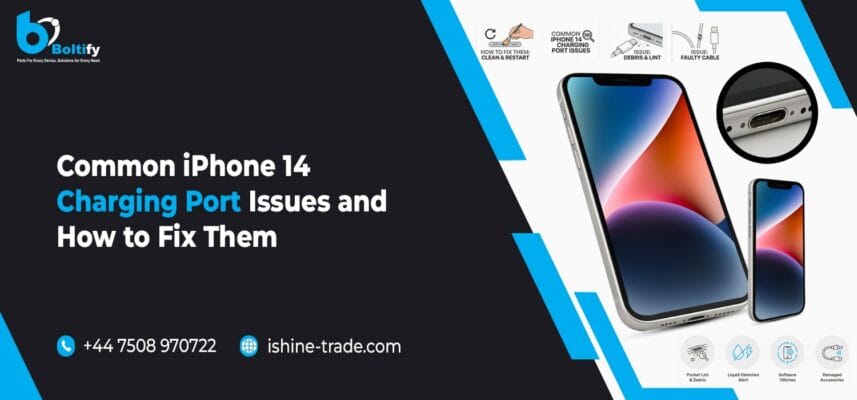
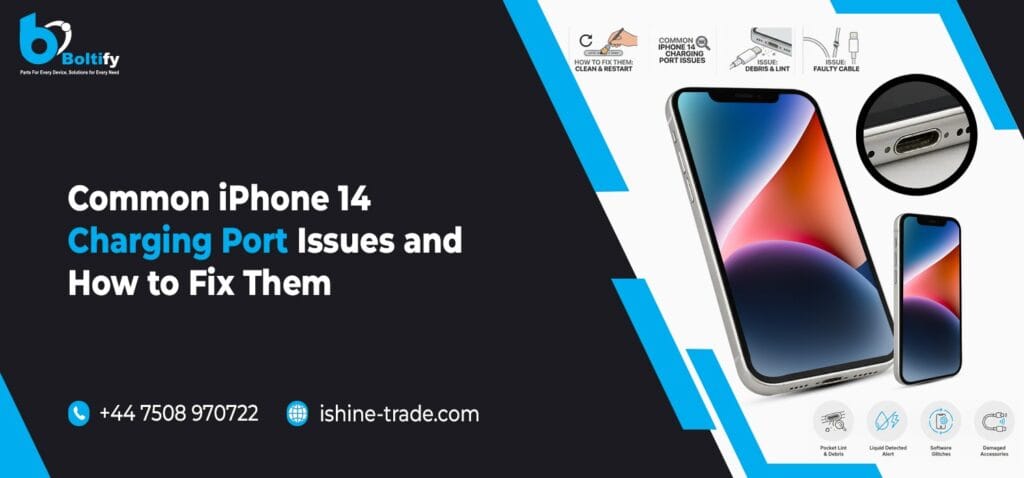
In the case of the iPhone 14 model, one of the most important parts of the gadget is the charging port. This part is used daily in charging the phone, transferring data, and connecting particular accessories. Due to constant use, this small component may develop problems over time.
Many users believe that battery problems are the fault of batteries in all cases, although in real life, it is generally the charging port of an iPhone 14. The following blog describes what the most frequent iPhone 14 charging port issues are, why they occur, and how they can be fixed.
Why the iPhone 14 Charging Port Gets Damaged
The charging slot is prone to dust, fuzz, moisture, and normal use. It is even easy for the phone to be placed in pockets or bags, which results in small particles getting into the slot. The charging cable can also be detached at an angle or poor-quality cables.
With time, these factors affect the charging port of the iPhone 14, causing instability in the charging process.
iPhone 14 Not Charging or Charging Slowly
One of the issues that can easily be experienced by iPhone 14 users is when the phone does not charge or when it charges slowly. The main reason for some of these issues may be dirt clogging the connection in the iPhone 14 charger ports.
If dust or lint is in the way of the charging pins, a current will not be able to pass through. A damaged charging cable will only add to the problem. If the charging port is damaged internally due to slow charging issues, it will not be possible to charge the device at regular speed.
Loose Charging Cable in iPhone 14 Charging Port
If the charging cable fails to remain secured properly to the charging point, a likely indication would be that the charging port on the iPhone 14 has a loose connection. This may cause the charging cable to come out easily or simply fail to charge the device as the user shifts the position.
This can happen because of wear and tear on the wire, as well as side forces applied to the wire when it is pulled. Also, the accumulation of dirt can prevent the wire from going into the port properly. If the connection inside is loose, this can often indicate that the charging port has to be replaced.
Also check: The iPhone Parts That Are Most Commonly Replaced: What You Need to Know
iPhone 14 Charging On and Off Repeatedly
The other common problem is when the phone charge connection temporarily stops and then resumes. It can also indicate that there is an unsteady connection within the iPhone 14 charging port.
While a faulty cable or power adapter can be the cause of the problem, the common symptom of turning an Android device off and on while it is being charged usually means the phone’s ports are damaged. Restarting the phone and using a different charging cable can solve the problem, but there are other ways for it to be fixed as well.
iPhone 14 Charging Port Not Detecting Accessories
The other common problem is when the phone charge connection temporarily stops and then resumes. It can also indicate that there is an unsteady connection within the iPhone 14 charging port.
While a faulty cable or power adapter can be the cause of the problem, the common symptom of turning an Android device off and on while it is being charged usually means the phone’s ports are damaged. Restarting the phone and using a different charging cable can solve the problem, but there are other ways for it to be fixed as well.
Overheating While Charging iPhone 14
In case your iPhone 14 heats up when charging, the charging port/cable may be to blame. A damaged charging port on your iPhone 14 can cause substandard electrical connections, resulting in the device getting warmer.
Overheating is never to be ignored. Charging should immediately be stopped, and the device should be allowed to cool down. Frequent instances of overheating might damage the charging port, as well as the battery.
Water or Moisture Damage in iPhone 14 Charging Port
Water exposure is another major cause of the failure of a charging port. Even small amounts of moisture can cause corrosion inside the iPhone 14 charging port.
After exposure to water, a phone may exhibit charging errors or completely cease to charge. The device needs to be powered off and should be left to dry out completely before attempting to try again. If corrosion sets in, replacement of the charging port is more often than not necessary.
Also check: How to Choose the Best iPhone Screen: LCD vs OLED Explained
When iPhone 14 Charging Port Replacement Is Necessary
If cleaning does not fix the issue, charging works only at a certain angle, or cables keep disconnecting, then the charging port of the iPhone 14 is probably physically damaged.
In such scenarios, replacement is the best way for the long run. A new charging port gives back proper charging speed, stable connection, and reliable data transfer.
How to Protect Your iPhone 14 Charging Port
Maintaining the charging port will help avoid lots of problems. Always disconnect the charging cable slowly, do not charge while in dusty or wet conditions, and charge using high-quality chargers. Such practices will ensure that the charging port on the iPhone 14 lasts forlong.
Final Thoughts
The iPhone 14 charging port, though small in size, is one of the most essential components of daily iPhone usage. The major problems that arise in iPhone charging usually start with dust accumulation, loose connection issues, or water entry points.
In case the above steps fail to provide a solution to the problem, the next important thing would be a professional inspection. It has become quite easy to find reliable suppliers like iShine Trade to procure good mobile phone components and accessories that would help resolve the situation regarding the charging port replacement.
Frequently Asked Questions (FAQs)
1. Why is my iPhone 14 charging port not working?
A- The charging port of the iPhone 14 may be faulty due to an accumulation of dust, damage to the internal connector, or exposure to moisture. Also, some are caused by the charging cable itself, not the iPhone 14 charging port
2. How can I clean the iPhone 14 charging port safely?
A- First of all, turn off the phone. Use a wooden toothpick or soft brush to remove dirt gently from the charging port of the iPhone 14. Avoid using metal tools or liquids because they can damage it.
3. Why does my iPhone 14 only charge at an angle?
A- Charging the device at an angle usually indicates the charging port in the iPhone 14 may be loose or worn. Usually, the solution to the problem involves replacing the charging port.
4. Can a damaged charging port cause slow charging?
A- Yes, the iPhone 14 charging port being damaged or soiled can impede the flow of power, leading to a slow or erratic charge.
5. Does water permanently damage the iPhone 14 charging port?
A- Water may result in corrosion within the charging port of the iPhone 14. Even if your device is capable of being charged, you may notice any effects of the water in the charging port later if you fail to dry or fix the charging port.
6. Is it safe to keep using a phone with a faulty charging port?
A- It would not be advisable to use an iPhone with a faulty charging port. This may lead to overheating and charging port/battery failure.