The screen of your smartphone is the part you interact with throughout the day—from scrolling through your messages to making calls, watching your favorite videos, navigating through maps using your smartphone’s location services, and completing your office tasks. It’s for these reasons why your screen—the s24 lcd of the Samsung smartphone (also referred to as your screen/display assembly)—is also the one that’s most easily breakable.
This manual will teach you exactly what can cause a Samsung s24 lcd, as well as simple ways of prevention, as well as actions that can be taken if warning signs are spotted. If you are a repair shop or a reseller, you will also learn where a part wholesaler such as iShine Trade can come into play.
What Samsung s24 lcd Damage Usually Means
Broken” screen damage could be more than what the eyes can see and could mean something other than the screen being broken and rough to the touch. It could be that the screen is damaged and still functional. It could be that the screen may look fine, but the display layer is damaged. “If the Samsung S24 LCD layer is damaged,” there could be flickers, vertical lines, “ink” spots that spread to cover the screen, dim spots, and “touch” loss in certain spots.
The important thing to note is the fact that screen damage won’t necessarily be visible from the outside. The screen could be damaged from the inside with pressure or impact without necessarily having to break with a visible crack. In the case of a Samsung S24 LCD screen, it.
Main Causes of Samsung s24 lcd Damage
Drops and Corner Impacts
Drops remain the leading cause of Samsung s24 lcd failure.Corner drops pose the greatest risk since the force of impact is focused on a single point. Although the appearance of a simple crack on the glass may not be a cause for worry, the internal display layer might be affected, causing lines or black spots to form.
Pressure Damage From Bending
Pressure damage is a silent killer. Keeping the phone in an overly tight pocket, even sitting on it in a back pocket, or setting a heavy item on top can bend the frame slightly. That bending stresses the screen layers and connectors. Many of the no-crack failures of the Samsung s24 lcd happen this way.
Also Check: How to Verify the Quality of Wholesale Phone Parts: Smart Tips Before Buying in Bulk
Water, Steam, and Moisture
Exposure to moisture might cause long-term issues since it could reach the connectors or create corrosion. Exposure to steam (like when you use your phone in a bathroom), rain, or wet hands might be responsible. A problem with a Samsung s24 LCD due to moisture might be evident in flickering, ghost touches, or random restarts of the screen.
Heat and Overheating
Heat impacts screen performance and may damage adhesives that hold the whole assembly together. Leaving the smartphone inside the dashboard of the car, in sunlight, or using heavy applications during charging may well lead to increased temperatures that could result in screen malfunctions. The problem of the S24 screen might develop as a result of heat and manifest as color failures, brightness fluctuations, or delay in response.
Low-Quality Chargers and Power Surges
Cheap chargers and cables can cause unstable voltage. This generally does not crack any screen, but it may cause display glitches, which can give a feeling of a Samsung S24 LCD problem, like flicker when charging, random touch behavior, or screen stuttering.
Scratches and Micro-Cracks Over Time
Coins in pockets may cause micro-scratches due to keys, as well as dust. These sorts of scratches make it easier for your Samsung S24 LCD to break when it falls in the future. Even if your Samsung S24 LCD appears to work normally, this will prevent it from being durable.
Prevention Tips to Protect Your Samsung s24 lcd
Use a Shock-Absorbing Case That Protects Corners
A case featuring strengthened corners and elevated front edges serves to mitigate impact before it arrives at the s24 lcd of the Samsung. By this one improvement alone, several failure modes associated with drops are eliminated.
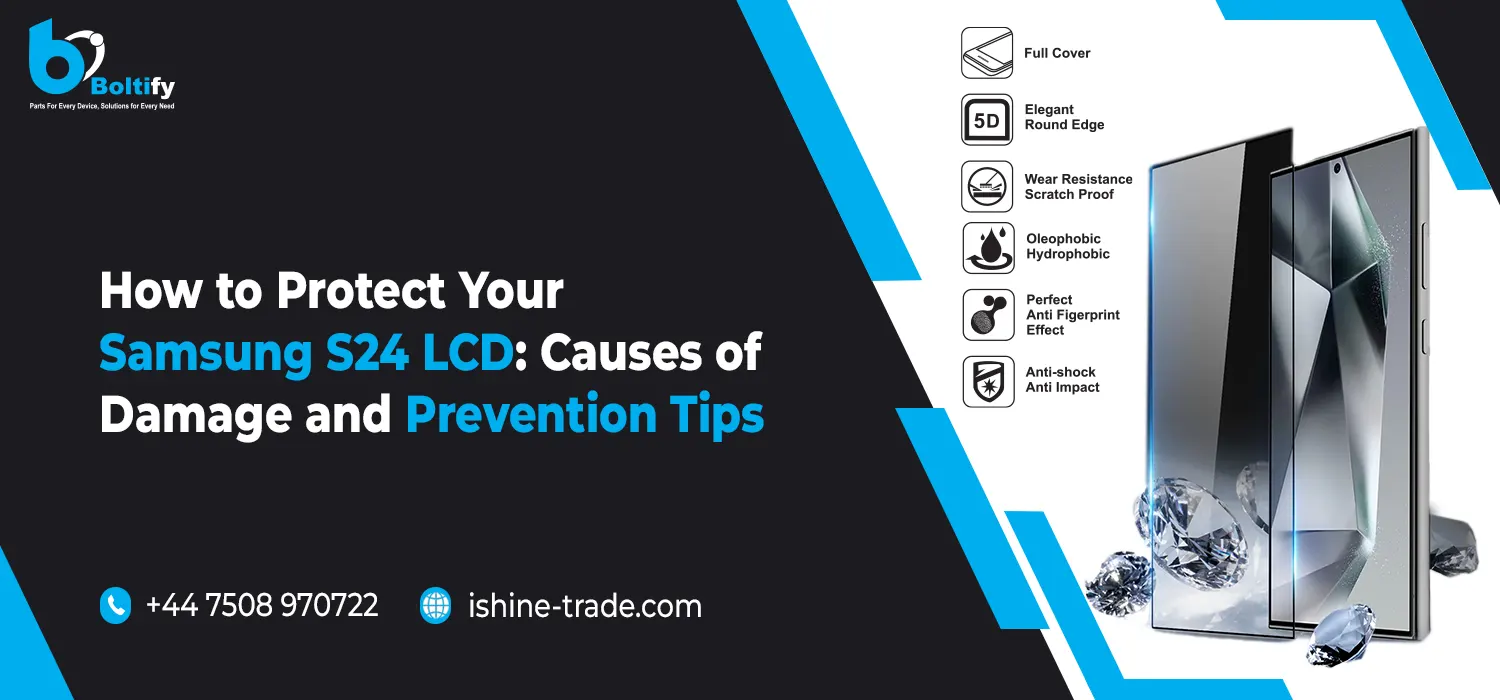
Install a Quality Tempered Glass Screen Protector
This tempered glass protector ensures minimal scratch occurrences and absorbs the first impact while dropping the phone. While it won’t make the phone unbreakable, it will greatly reduce the possibilities of anything being damaged on the surface that eventually causes Samsung s24 LCD damage.
Avoid Back-Pocket Carrying and Tight Pressure
To prevent mystery display issues, avoid sitting on your phone or keeping it in tight jeans pockets. Pressure damage is one of the most common reasons the Samsung s24 lcd fails without obvious cracks.
Keep Your Phone Away From Steam and Unnecessary Water Exposure
If you want to avoid seeing some weird display problems, do not place your phone on your lap or, even worse, keep your phone inserted into your tight pockets. Among the leading causes of damage to the s24 lcd screen of the Samsung phone.
Also Check: The iPhone Parts That Are Most Commonly Replaced: What You Need to Know
Manage Heat During Charging and Heavy Use
Be sure to avoid usage in high steam situations and do not allow it to get wet in the rain without some form of protection against the water. Even small moisture problems can be costly in the end, such as when steam buildup corrodes around the connector for the screen.
Clean the Screen Safely
A microfiber cloth should be used for routine cleaning. A harsh cleaner could damage finishes and contribute to micro-scratches on the surface that could lead to cracking.
Charge With Reliable Accessories
Use a good charger and cable to stabilize the voltage and eliminate display artifacts. Many display issues are simply related to power and are mistaken by the user for Samsung s24 lcd failure.
Early Warning Signs of Samsung s24 lcd Damage
If you see flickering, vertical/horizontal lines, black spots expanding, dim areas, or touch that ceases to respond in particular regions, consider it a sign. In most situations, using your phone normally, with added pressure and heat, could damage your s24 lcd further.
What to Do If Your Samsung s24 lcd Is Already Damaged
If the screen is still functional, try to back up your data. Do not exert pressure on the screen, as this can worsen the damage. Next, have your phone evaluated for a glass repair or a whole Samsung S24 LCD screen replacement.
A correct diagnosis helps by saving money; for example, users replace the screen while only part of it needs to be addressed. This is especially true if they ignore the connector problem until it fails.
For Repair Shops and Resellers: Wholesale Sourcing With iShine Trade
For repair shops and parts sellers, the quality and consistency of the screen matter as much as the price. Reliable sourcing also means that you avoid returns, disgruntled customers, and repeat repairs. Here is where iShine Trade comes into relevance for a business: sourcing mobile phone parts and accessories wholesale, including screen-related components.
When sourcing a Samsung s24 lcd replacement, it’s wise to test the units, safely package them to avoid shipping damage, and have steady inventory for reorders. For resellers and technicians, those factors affect their reputation and profits directly.