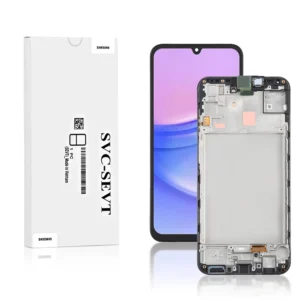
The Genuine LCD Screen for Samsung Galaxy S20 Plus 5G N980 With Frame & Touchpad (Black) from iShine Trade is an original replacement module designed to restore your device’s full display, touch responsiveness, and structural integrity. If your Galaxy S20 Plus 5G is facing screen cracks, dead pixels, or unresponsive touch, this full assembly offers a seamless and professional repair solution.
Key Features:
OEM Grade Quality: Delivers accurate color reproduction, optimal brightness, and full compatibility.
Complete Assembly: Includes frame and integrated touchpad, reducing installation complexity.
Robust Construction: Designed for durability and resistance to everyday wear.
Fully Tested: Each unit is quality checked for display clarity, touch performance, and pixel integrity.
Specifications:
Component: LCD Screen + Frame + Touchpad
Compatibility: Samsung Galaxy S20 Plus 5G (Model N980)
Color: Black
Functionality: Restores display clarity, touch input, and structural alignment.
Condition: Brand new, unused, factory tested.
Package Includes: 1 × Genuine LCD Screen for Samsung Galaxy S20 Plus 5G N980 With Frame & Touchpad Black
Installation Instructions:
Power off your Galaxy S20 Plus 5G completely.
Carefully remove the back cover and internal components to access the screen assembly.
Disconnect the battery to avoid electrical damage.
Gently detach the old screen and frame by removing connectors.
Position and install the new Genuine LCD Screen With Frame & Touchpad (Black), ensuring all flex cables and connectors align properly.
Reconnect the battery after the new assembly is in place.
Reassemble the internal parts and secure the back cover.
Power on the device and test display, touch functionality, and frame fit.