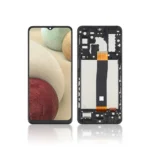
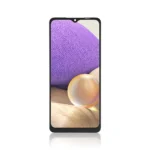
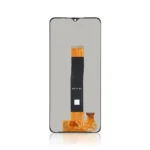

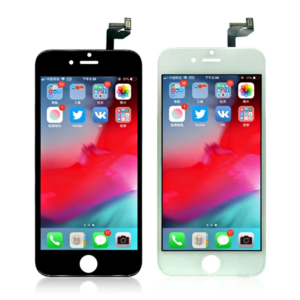
Replacement LCD Screen For Samsung Galaxy A32 5G (A326B) Black – No Frame

SKU: 5056605606654

£8.99 Ex VAT

16 People watching this product now!
  • delivery-car Courier delivery

Our courier will deliver to the specified address

Next Day

7.33

  • dhl-logo DHL Courier delivery

DHL courier will deliver to the specified address

Next Day

7.33

Payment Methods:

payment-gateway

Description

The Replacement LCD Screen for Samsung Galaxy A32 5G (A326) without frame is designed to restore your device’s display to its original condition. This high quality replacement screen ensures vibrant visuals and responsive touch functionality.

Key Features:

  • High-Resolution Display: Offers crisp and clear visuals for an enhanced viewing experience.

  • Responsive Touch Functionality: Ensures smooth and accurate touch input.

  • Durable Construction: Built to withstand daily wear and tear.

  • OEM Quality: Manufactured to meet the original equipment manufacturer standards.

  • No Frame Included: Designed for users who prefer to reuse the existing frame.

Specifications:

  • Compatibility: Samsung Galaxy A32 5G (A326)

  • Display Type: LCD

  • Touch Technology: Capacitive

  • Frame Included: No

  • Condition: Brand New

  • Color: Black

Package Includes:

  • 1 × Replacement LCD Screen for Samsung Galaxy A32 5G (A326) without Frame

Installation Instructions:

  1. Power Off the Device: Ensure the device is completely powered off before starting the replacement process.

  2. Remove the Back Cover: Use appropriate tools to safely remove the back cover of the device.

  3. Disconnect the Battery: Disconnect the battery to prevent any electrical damage during the replacement.

  4. Remove the Damaged Screen: Carefully detach the damaged screen from the frame.

  5. Install the New Screen: Place the new LCD screen into position and connect it.

  6. Reconnect the Battery: Reconnect the battery to the motherboard.

  7. Reassemble the Device: Replace the back cover and ensure all components are securely in place.

  8. Power On the Device: Turn on the device to check the functionality of the new screen.