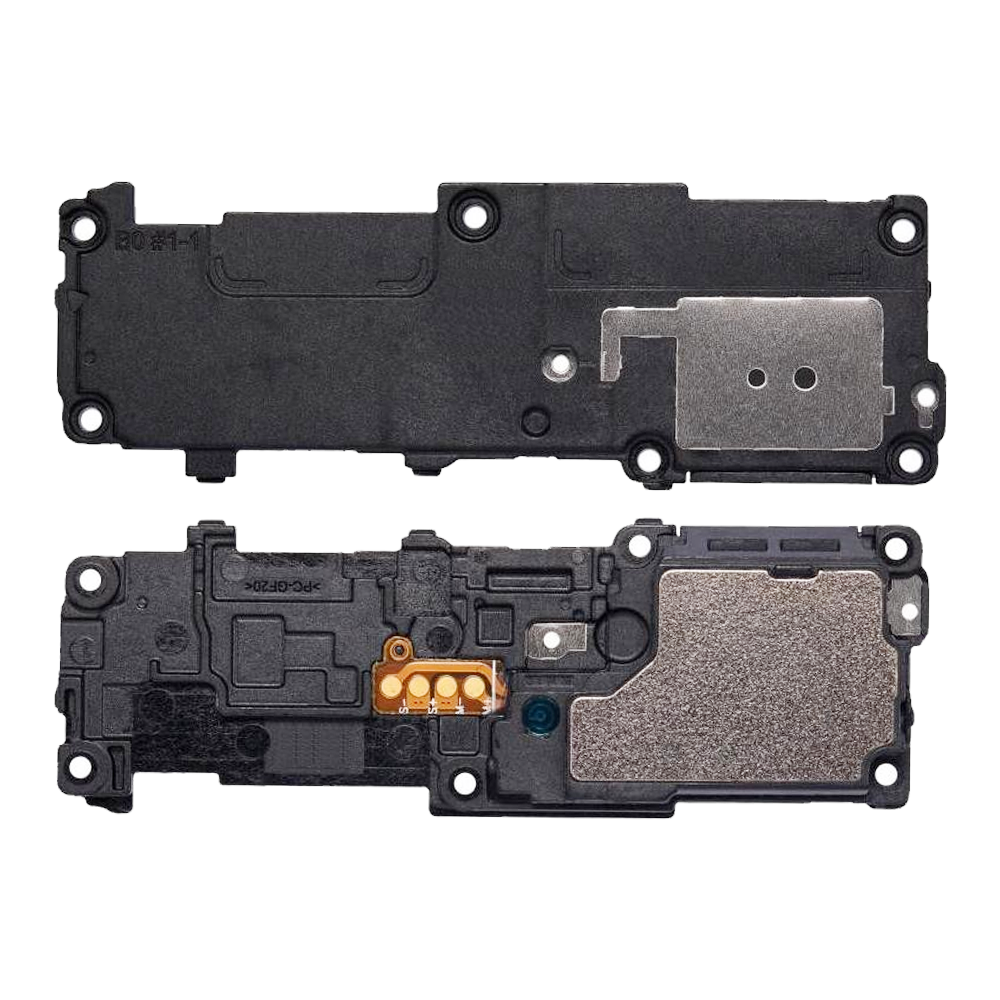
Replacement Loud Speaker For Samsung Galaxy S22 Ultra (S908B)

SKU: 5056605611597

£2.99 Ex VAT

13 People watching this product now!
  • delivery-car Courier delivery

Our courier will deliver to the specified address

Next Day

7.33

  • dhl-logo DHL Courier delivery

DHL courier will deliver to the specified address

Next Day

7.33

Payment Methods:

payment-gateway

Description

The Replacement Loud Speaker for Samsung Galaxy S22 Ultra (Model: SM-S908B) is an OEM-quality part designed to restore your device’s audio functionality. Whether your current speaker is damaged or unresponsive, this flex cable ensures clear and loud sound output.

Key Features:

  • OEM Quality: Manufactured to meet the original specifications, ensuring perfect compatibility and performance.

  • Enhanced Audio Performance: Delivers crisp and clear sound, restoring your device’s audio capabilities.

  • Easy Installation: Designed for straightforward replacement, allowing you to restore your device’s audio functionality with minimal effort.

  • Compatible Model: Specifically designed for the Samsung Galaxy S22 Ultra (Model: SM-S908B), ensuring a precise fit and optimal performance.

Specifications:

  • Material: High-quality components for reliable performance

  • Compatibility: Samsung Galaxy S22 Ultra (Model: SM-S908B)

  • Functionality: Restores loudspeaker audio output

  • Condition: Brand new, unused, and unopened

Package Includes:

  • 1 × Replacement Loud Speaker for Samsung Galaxy S22 Ultra

Installation Instructions:

  1. Power Off Your Device: Ensure your Samsung Galaxy S22 Ultra is completely powered off.

  2. Remove the Back Cover: Use appropriate tools to carefully detach the back cover of your device.

  3. Disconnect the Battery: Locate and disconnect the battery to prevent any electrical shorts during the replacement.

  4. Remove the Old Loud Speaker Flex: Gently detach the existing loud speaker flex cable from its connectors and remove it from the device.

  5. Install the New Loud Speaker Flex: Align the new replacement loud speaker flex cable with the connectors and securely attach it.

  6. Reconnect the Battery: Reconnect the battery to restore power to your device.

  7. Reassemble the Device: Carefully reattach the back cover and ensure all components are securely in place.

  8. Power On the Device: Turn on your Samsung Galaxy S22 Ultra to verify the audio functionality is restored.