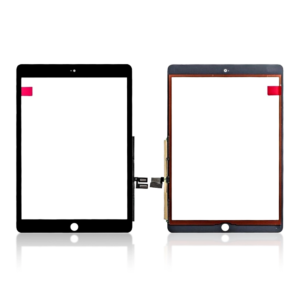
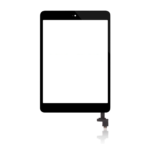
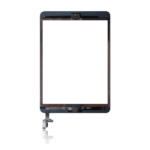

Replacement Touch Screen Digitizer for iPad Mini 7.9″ 1st Gen 2012 / 2nd Gen 2013 – A1432 , A1454 , A1489 , A1491

SKU: iPad-Mini-1-touch

£7.79 Ex VAT

12 People watching this product now!
  • delivery-car Courier delivery

Our courier will deliver to the specified address

Next Day

7.33

  • dhl-logo DHL Courier delivery

DHL courier will deliver to the specified address

Next Day

7.33

Payment Methods:

payment-gateway

Description

The Replacement Touch Screen Digitizer for iPad Mini 7.9″ 1st Gen 2012 / 2nd Gen 2013 – A1432, A1454, A1489, A1491 is a high-quality replacement part designed to restore the touch functionality of your device. If your iPad Mini has a cracked or unresponsive screen, this digitizer offers a reliable solution, providing smooth and responsive touch interactions, and it works with both the 1st and 2nd generation iPad Mini models.

Key Features:

  • Perfect Compatibility: Specifically designed for the iPad Mini 7.9″ 1st Gen (2012) and 2nd Gen (2013), compatible with model numbers A1432, A1454, A1489, and A1491.

  • High-Quality Digitizer: Offers responsive touch functionality, restoring your iPad Mini’s touch screen performance.

  • Durable Construction: Built with high-quality materials for long-lasting durability and resistance to everyday use.

  • Crystal Clear Display: The digitizer ensures clear, accurate touch responses without compromising the clarity of your iPad Mini’s screen.

  • Easy Installation: Simple to install, this replacement digitizer offers an easy solution for both DIY repairs and professional technicians.

Specifications:

  • Material: Touch Digitizer

  • Compatibility: iPad Mini 7.9″ 1st Gen (2012) / 2nd Gen (2013) – A1432, A1454, A1489, A1491

  • Condition: Brand new

  • Color: Black

  • Resolution: 1024 x 768 pixels

Package Includes:

  • 1 × Replacement Touch Screen Digitizer for iPad Mini 7.9″ 1st Gen 2012 / 2nd Gen 2013 – A1432, A1454, A1489, A1491

  • Wet and dry wipes

  • Dust removal sticker

  • Installation guide

Installation Instructions:

  1. Power Off Your Device: Ensure your iPad Mini is powered off before starting the repair process.

  2. Remove the Damaged Digitizer: Carefully detach the old, cracked, or unresponsive touch screen digitizer from your device.

  3. Install the New Digitizer: Align the new touch digitizer with the device, ensuring it fits securely.

  4. Reconnect the Digitizer: Attach the necessary flex cables to the motherboard for proper functionality.

  5. Reassemble the Device: Once the new digitizer is installed and connected, reassemble your iPad Mini and power it on to test the touch functionality.

Additional Information:

As a trusted iPhone screen replacement wholesale Supplier in UK, we offer high-quality replacement parts like the Replacement Touch Screen Digitizer for iPad Mini 7.9″ 1st Gen 2012 / 2nd Gen 2013 – A1432, A1454, A1489, A1491, restoring your device to full touch functionality. Ideal for personal users and resellers.