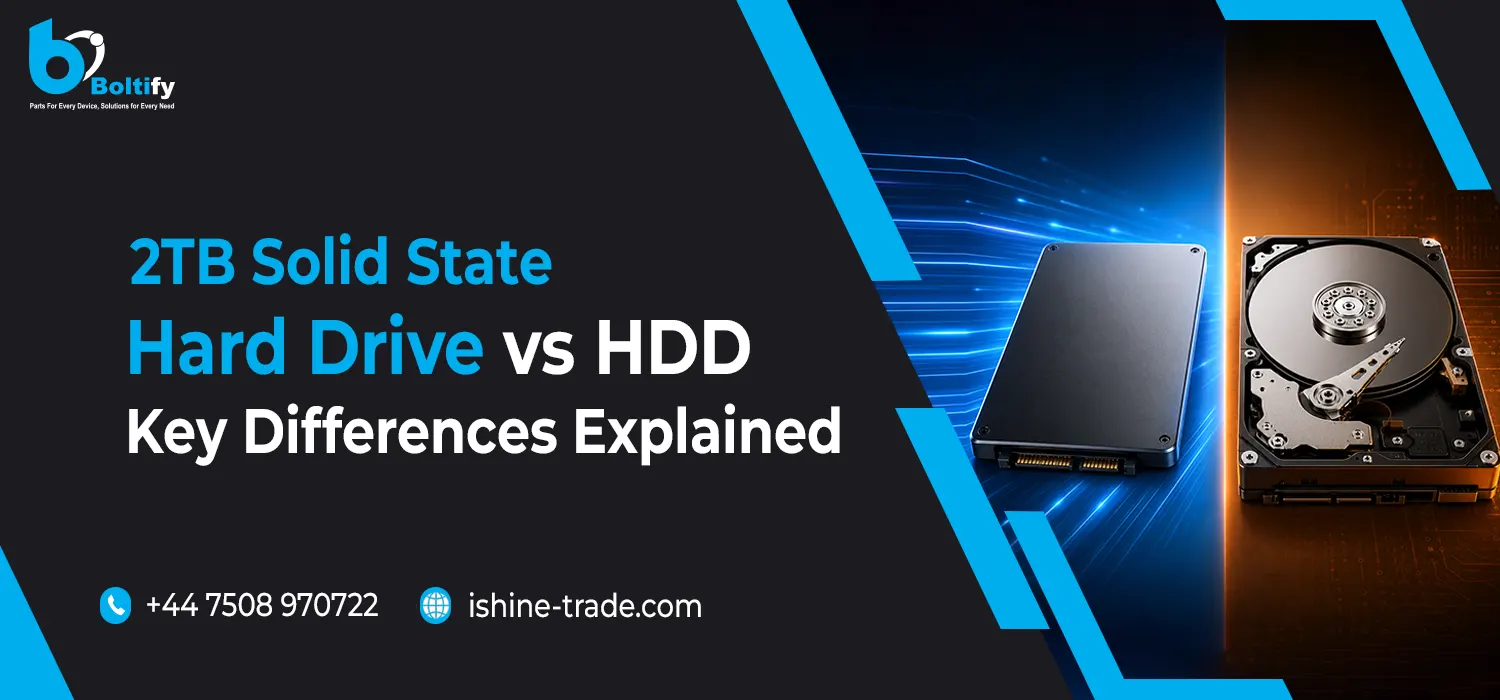
Choosing between a 2TB solid state drive (SSD) and a traditional hard drive when upgrading a computer can be tricky. Although they offer the same storage space, the real difference lies in performance, speed, and reliability. Knowing how these vary can really help you pick what suits you best, whether you game, work on creativity stuff, or just need dependable daily use storage.
What Is a 2TB Solid State Hard Drive?
A 2TB solid state hard drive, or 2TB SSD, stores tons of data using flash memory, not spinning disks like old fashioned HDDs. This means it’s super fast, quiet, and tough since there are no moving parts. You get lots of room for countless photos, videos, games, apps, and big project files. The primary benefit? It’s crazy fast. Your OS boots up quicker, apps launch in seconds, and file transfers are wicked speedy compared to HDDs.
What Is an HDD?
HDD, or hard disk drive, represents the old school storage tech that uses magnetic disks to store your data. It does this with a little arm that reads and writes info onto these spinning disks. Although HDDs are slower thanks to those moving parts, people still love them because they give you lots of storage space for less money. Still, a 2TB HDD matches a 2TB SSD in capacity but falls short when it comes to speed and how well it holds up.
Key Differences Between 2TB Solid State Hard Drive and HDD
Speed and Performance
The most noticeable difference between a 2TB solid state hard drive and an HDD is speed. SSDs provide faster boot times, quicker application launches, and smoother file transfers. In contrast, HDDs take longer to read and write data, which can result in delays when opening large files or games. For tasks like gaming, video editing, or running multiple applications simultaneously, a 2TB SSD offers a significant performance boost.
Durability and Reliability
SSDs are tougher since they don’t have moving parts, making them great at handling shocks and drops. So, a 2TB solid state drive works perfectly for laptops and portable devices. HDDs, however, are more fragile because of those spinning disks. Sudden bumps can easily cause data loss with HDDs.
Also Check: How to Choose the Right Internal Hard Drives for Your Computer
Noise and Heat
HDDs make noise and create heat because they have moving parts. But a 2TB SSD runs silent and cool, making it ideal for offices and gaming setups.
Power Consumption
SSDs use less power than HDDs, perfect for laptops. They boost battery life and speed too. HDDs need more juice to spin those disks, cutting into portability. So, SSDs keep batteries stronger, lasting longer on a single charge.
Price
Price is one area where HDDs still have an advantage. A 2TB HDD is usually cheaper than a 2TB SSD. However, SSD prices have decreased in recent years, making a 2TB solid state hard drive more accessible and worth the investment for speed, durability, and efficiency.
Who Should Choose a 2TB SSD?
A 2TB solid state drive is ideal for those seeking speed and responsiveness. It helps gamers, creative pros, and busy businessfolk most. With an SSD, gaming, video editing, 3D rendering, and running intensive apps gets way smoother and faster. Even regular folks get quicker boot times, super-fast app launches, and an overall slicker performance.
Also Check: Seagate External Hard Drive Not Working? Here’s How to Fix It
Who Should Choose a 2TB HDD?
A 2TB HDD is perfect if cost beats speed on your priority list. It’s great for movie, photo, backup, and file storage—especially for stuff you don’t access all the time. So, if performance isn’t a concern, this is a practical pick for tons of storage space.
Best Storage Strategy: Combining SSD and HDD
Many users choose a hybrid approach: using a 2TB solid state hard drive as the main drive for the operating system, applications, and frequently used files, while adding a 2TB HDD for backup and long-term storage. This setup offers the best of both worlds—speed where it matters and affordable capacity for large archives.
FAQs
Q1: Is a 2TB SSD better than a 2TB HDD?
Yes, a 2TB SSD is faster, quieter, and more durable than an HDD. It improves boot times, app performance, and overall system responsiveness.
Q2: Can I use a 2TB SSD for gaming?
Absolutely. A 2TB SSD allows faster game loading times, smoother gameplay, and quick access to large game files compared to an HDD.
Q3: Is a 2TB SSD worth the extra cost?
If speed, reliability, and system responsiveness matter to you, investing in a 2TB SSD is worth it. The cost difference is offset by the performance benefits.
Q4: Can I use a 2TB HDD for backups?
Yes, HDDs are cost-effective for storing backups, archives, photos, and videos that don’t need frequent access.
Q5: How do I choose between SSD and HDD?
Consider your priorities: choose a 2TB SSD for speed and performance, and an HDD for budget-friendly storage. Many users combine both for the best balance.
Conclusion
A 2TB solid state hard drive and a 2TB HDD give you the same amount of storage space, but that’s where the similarities end. SSDs are super fast, durable, operate quietly, and are more efficient. On the other hand, HDDs offer bigger storage at a cheaper price point. Most folks would agree that a 2TB SSD gives the smoothest, most modern computing experience. Having your OS and apps on an SSD and using the HDD for backups is a great way to get that balance between high performance and storage capacity.
Companies like Boltify Limited, which deals in mobile phone parts and accessories, use SSDs to handle their big inventory and database needs efficiently. They’re based in the UK and really benefit from these fast storage solutions.