A good gaming setup is more than a powerful PC and a high-resolution monitor. Your keyboard and mouse are the main devices you use to control games, interact with menus, aim at targets, move characters, and perform actions quickly. Choosing the right peripherals can therefore have a significant impact on comfort, control, responsiveness, and your overall gaming experience.
The market includes mechanical and membrane keyboards, compact and full-size layouts, wired and wireless mice, adjustable DPI settings, programmable buttons, different sensor technologies, and a wide range of ergonomic designs. With so many choices available, it can be difficult to know which features actually matter.
This gaming keyboard and mouse buying guide explains the main types, important technologies, compatibility considerations, ergonomics, connectivity options, and practical factors to consider before buying.
Whether you are a casual PC gamer, competitive player, gaming enthusiast, or retailer looking to stock gaming peripherals, this guide will help you understand what to look for.
Why Choosing the Right Gaming Keyboard and Mouse Matters
Keyboard and mouse performance can influence several aspects of PC gaming.
A responsive keyboard can help register commands quickly, while a precise mouse can provide accurate cursor movement and tracking. Comfort is equally important because gaming sessions can last for several hours.
The right combination should provide:
- Comfortable long-term use
- Reliable key and button registration
- Accurate mouse tracking
- Suitable connectivity
- Useful customisation options
- Good build quality
- Compatibility with your computer
- Features appropriate for your gaming style
The most expensive peripheral is not automatically the best choice. The ideal setup depends on how you play, what games you enjoy, and which features you actually need.
Understanding Gaming Keyboards
Gaming keyboards are available in several designs and technologies. Understanding the differences can make it easier to select the right model.
Mechanical Gaming Keyboards
Mechanical keyboards use individual switches beneath their keys. Each switch contains a physical mechanism that registers a key press.
They are popular among gamers because they can provide responsive actuation, tactile feedback, and a distinctive typing experience. Mechanical switches are also available in different characteristics, allowing users to choose a feel that suits their preferences.
Important switch characteristics include:
- Actuation force
- Actuation point
- Key travel
- Tactile feedback
- Click sound
- Durability
- Linear or tactile operation
Linear, Tactile and Clicky Switches
Linear switches provide a smooth key press without a pronounced tactile bump.
Tactile switches provide physical feedback during actuation, which some users find useful for both gaming and typing.
Clicky switches provide tactile feedback combined with an audible clicking sound.
The best switch type is largely a matter of personal preference. Competitive gamers may prefer a particular actuation feel, while users who share a gaming space may prefer quieter switches.
Membrane Gaming Keyboards
Membrane keyboards use a pressure-based membrane system instead of individual mechanical switches.
They are generally more affordable and can provide a comfortable solution for casual gaming, everyday computer use, and users who do not specifically need mechanical switches.
Many modern membrane gaming keyboards still offer features such as:
- Anti-ghosting
- Multimedia controls
- RGB lighting
- Programmable keys
- Gaming modes
For buyers working with a limited budget, a good membrane keyboard can be a practical option.
Full-Size, TKL and Compact Keyboards
Keyboard layout is another important consideration.
Full-Size Keyboards
Full-size keyboards normally include:
- Alphanumeric keys
- Function keys
- Arrow keys
- Navigation keys
- Number pad
They are useful for users who need a complete layout for gaming, office work, spreadsheets, or general computer use.
Tenkeyless Keyboards
Tenkeyless, commonly called TKL, keyboards remove the number pad.
This creates additional desk space, which can be useful for gamers who need more room for mouse movement.
Compact Keyboards
Compact layouts remove additional keys or combine functions to reduce the keyboard’s physical footprint.
Common compact layouts include 60% and 75% keyboards.
A smaller keyboard can be particularly useful for minimalist gaming setups or players who move their mouse extensively.
Important Gaming Keyboard Features
Anti-Ghosting
Keyboard ghosting occurs when certain combinations of simultaneously pressed keys are not correctly registered.
Anti-ghosting technology helps ensure that multiple inputs are recognised more reliably.
This can be useful in games where movement, sprinting, jumping, crouching, and other actions may need to be performed at the same time.
N-Key Rollover
N-key rollover refers to the keyboard’s ability to register multiple simultaneous key presses.
This can be particularly useful for gaming because several keys may be pressed together during complex actions.
Actuation Point and Response
The actuation point describes how far a key needs to travel before the keyboard registers the input.
For gamers, responsive key registration can be useful in fast-paced titles where quick commands are important.
However, a shorter actuation distance is not automatically better for everyone. The ideal configuration depends on personal preference and the type of games being played.
Programmable Keys and Macros
Some gaming keyboards include additional programmable keys.
These can be assigned to:
- Game commands
- Shortcuts
- Repeated actions
- Application controls
- Custom profiles
They can be especially useful in strategy games, MMOs, simulation titles, and productivity environments.
Hot-Swappable Switches
Some mechanical keyboards support hot-swappable switches.
This allows compatible switches to be replaced without traditional soldering.
For enthusiasts, this provides greater flexibility to experiment with different switch types and customise the keyboard’s feel.
RGB Lighting
RGB lighting is mainly an aesthetic feature, although it can also provide useful visual indicators.
Depending on the keyboard software, users may be able to customise:
- Lighting effects
- Brightness
- Individual key colours
- Game profiles
- Lighting patterns
RGB should generally be treated as an optional feature rather than a measure of keyboard performance.
Understanding Gaming Mice
A gaming mouse is responsible for cursor movement, aiming, camera control, navigation, and other inputs.
The right mouse should provide accurate tracking while remaining comfortable during extended use.
Wired Gaming Mice
Wired mice connect directly to a computer, normally through USB.
Advantages can include:
- Stable physical connection
- No battery charging
- Simple installation
- Consistent power
- Often lower cost
Cable management is the main consideration. A poorly positioned cable can interfere with movement, particularly when using a large mouse range.
Wireless Gaming Mice
Wireless mice provide greater freedom of movement and can create a cleaner desk setup.
Modern wireless gaming mice can use dedicated USB receivers or other wireless technologies.
When evaluating a wireless model, consider:
- Battery life
- Charging method
- Connection stability
- Wireless range
- Receiver compatibility
- Weight
If you are comparing the two main connection types in more detail, our guide to wired and wireless mice can help you understand the practical differences.
Mouse Sensors and Tracking Accuracy
The sensor is one of the most important components inside a gaming mouse.
Modern gaming mice commonly use optical sensors that track movement across a surface.
A good sensor should provide consistent tracking without unwanted acceleration, skipping, or irregular movement.
When comparing mice, do not focus only on the maximum DPI number. Sensor consistency and real-world tracking performance are usually more meaningful.
What Is DPI?
DPI means dots per inch and describes how far the cursor moves in response to physical mouse movement.
A high DPI setting allows the cursor to travel a greater distance with less physical movement.
A lower DPI setting generally requires larger physical movements.
Different gamers prefer different sensitivity levels. Competitive FPS players may use lower sensitivity combined with larger mouse movements, while other users may prefer higher sensitivity.
There is no universally correct DPI setting.
Mouse Polling Rate
Polling rate describes how frequently the mouse reports its position to the computer and is measured in Hertz.
A higher polling rate can provide more frequent position updates.
However, choosing a mouse based solely on the highest polling rate is not always necessary. Your monitor, computer hardware, game, operating system, and overall setup can influence the practical benefit.
Lift-Off Distance
Lift-off distance refers to how far the mouse can be lifted from the surface before the sensor stops tracking.
This can matter to gamers who frequently reposition their mouse.
A lower lift-off distance can help prevent unwanted cursor movement when the mouse is lifted.
Choosing the Right Mouse Shape and Grip
Technical specifications are only part of the buying decision. Physical comfort can be just as important.
Common mouse grip styles include:
Palm Grip
Most of the hand rests on the mouse.
This grip can work well with larger ergonomic designs.
Claw Grip
The palm partially rests on the mouse while the fingers form a more arched position.
This can provide a balance between comfort and quick movement.
Fingertip Grip
Only the fingertips control the mouse while the palm remains away from the body.
This can allow quick movements but may require more precise hand control.
Your hand size and grip style should influence the shape, height, length, and weight of the mouse you choose.
Mouse Weight and Balance
Gaming mice are available in lightweight, medium-weight, and heavier designs.
A lightweight mouse may feel easier to move quickly, while a heavier model can feel more stable to some users.
There is no universally correct mouse weight.
The important factor is whether the mouse feels controlled and comfortable during your normal gaming sessions.
Wired vs Wireless Gaming Setup
Both connection types can work well, and your choice should depend on your priorities.
A wired setup may be preferable if you want:
- No battery management
- A simple connection
- Reliable continuous power
- A potentially lower purchase cost
A wireless setup may be preferable if you want:
- A cleaner desk
- Greater freedom of movement
- Fewer cables
- A flexible gaming station
For most users, the choice is about convenience and preference rather than assuming that one technology is always superior.
Gaming Keyboard and Mouse Compatibility
Compatibility should be checked before purchasing any gaming peripheral.
USB Compatibility
Most wired gaming keyboards and mice use USB connections.
Check the available ports on your desktop or laptop, particularly if you use several other USB devices.
Bluetooth Compatibility
Some wireless keyboards and mice use Bluetooth.
Bluetooth can be convenient for compatible laptops and devices, but dedicated wireless receivers may be preferred for certain gaming setups.
Wireless Receiver Compatibility
If a keyboard or mouse comes with a USB wireless receiver, make sure your computer has a suitable USB port.
You should also avoid losing the receiver because replacing a proprietary receiver may not always be straightforward.
Operating System Compatibility
Basic keyboard and mouse functions usually work across major desktop operating systems, but advanced features may require manufacturer software.
Before purchasing, check whether the product’s configuration software supports your operating system if you need:
- RGB control
- Macro programming
- Button remapping
- Sensitivity profiles
- Firmware updates
Choosing a Gaming Keyboard and Mouse for Different Games
Different genres can benefit from different peripheral features.
First-Person Shooters
FPS games often place greater importance on accurate mouse tracking, comfortable sensitivity, reliable buttons, and consistent movement.
A mouse that fits your hand well and provides predictable sensor performance can be more useful than simply choosing the highest DPI specification.
MMO and RPG Games
MMO players may benefit from additional programmable keyboard or mouse buttons.
Extra controls can make frequently used abilities, shortcuts, and commands easier to access.
Strategy Games
Strategy games can benefit from precise mouse control and programmable shortcuts.
Keyboard layout and accessibility can also be important during long sessions.
Racing and Simulation Games
A keyboard and mouse can work well for many simulation and strategy games, although dedicated controllers, steering wheels, or other peripherals may be preferred for certain titles.
How to Choose the Right Gaming Keyboard and Mouse
Before making a purchase, consider these practical factors.
1. Decide Your Budget
Set a realistic budget before comparing products.
You do not necessarily need premium specifications to get a reliable gaming setup.
2. Consider Your Gaming Style
Think about the games you play most often.
FPS, MMO, strategy, simulation, and casual games can have different peripheral requirements.
3. Prioritise Comfort
Consider:
- Hand size
- Grip style
- Keyboard layout
- Switch feel
- Mouse weight
- Desk position
Comfort becomes increasingly important during longer gaming sessions.
4. Check Connectivity
Decide whether you prefer wired USB, Bluetooth, or dedicated wireless connectivity.
5. Check Compatibility
Verify operating-system support, USB requirements, wireless receiver requirements, and configuration software compatibility.
6. Consider Build Quality
Look for durable switches, buttons, cables, connectors, keycaps, and housing materials.
A well-built peripheral can be a better long-term investment than one focused primarily on appearance.
7. Only Pay for Features You Need
Features such as RGB lighting, extensive macro support, extremely high DPI, and additional programmable buttons may not be necessary for every user.
Choose specifications that provide practical value for your particular setup.
Gaming Accessories for Retailers and Wholesale Buyers
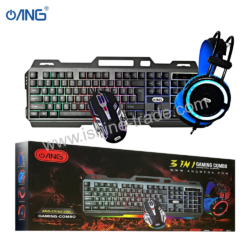
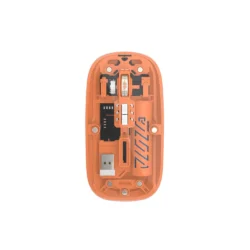
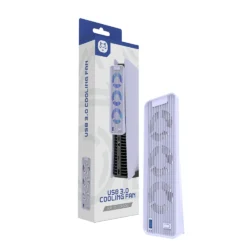
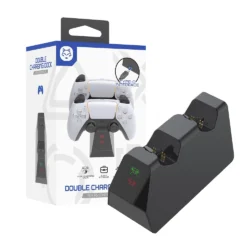
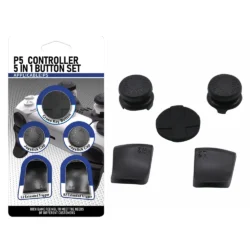
Gaming keyboards and mice are part of a broader range of gaming peripherals.
Retailers may also consider stocking products such as:
- Gaming headsets
- Mouse pads
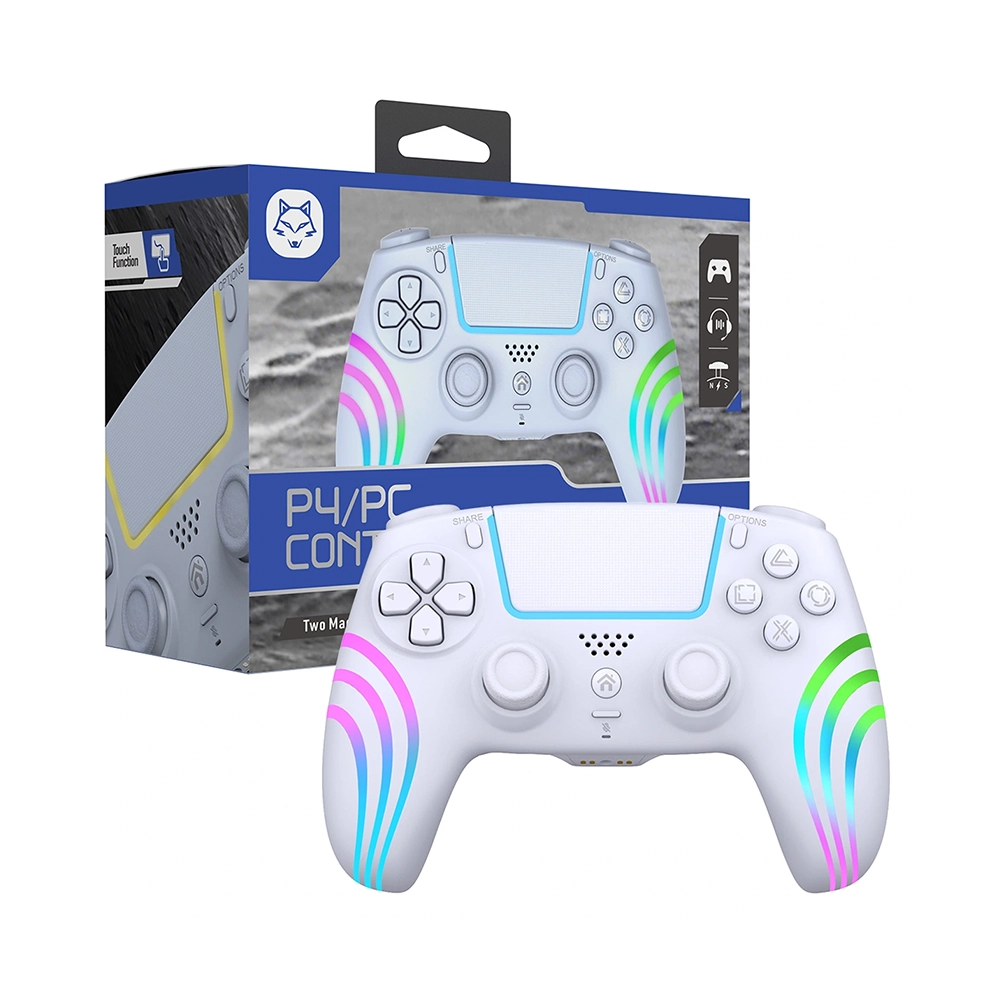
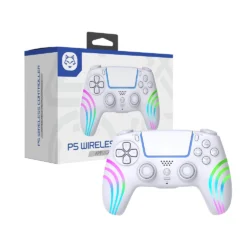
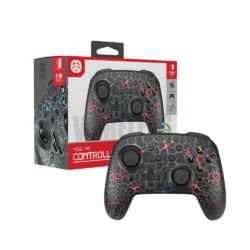
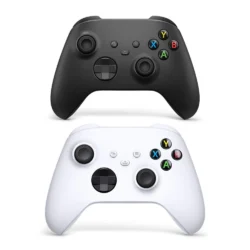
- Controllers
- USB hubs
- Gaming microphones
- Webcams
- Computer accessories
- Other gaming peripherals
A balanced product range can help retailers serve customers with different budgets, gaming preferences, and equipment requirements.
Businesses looking to expand their gaming product range can explore a wholesale gaming accessories supplier UK for different types of gaming peripherals and related products.
For businesses that also sell mobile technology products, a mobile phone accessories supplier UK can provide access to another important category of everyday technology accessories.
You can also read our guide on wholesale gaming accessories to learn more about gaming products that can complement keyboards and mice.
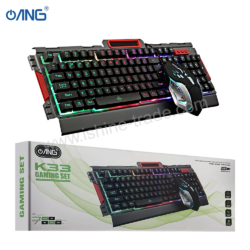
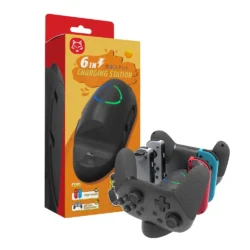
Common Mistakes When Buying Gaming Peripherals
Choosing Based Only on RGB Lighting
RGB can improve the appearance of a setup, but lighting does not determine sensor accuracy, switch quality, or comfort.
Focusing Only on Maximum DPI
A very high DPI specification does not automatically mean a better mouse.
Sensor consistency, shape, weight, and control are more important considerations.
Ignoring Ergonomics
A mouse that feels uncomfortable or a keyboard with an unsuitable layout can become frustrating during long sessions.
Forgetting Desk Space
A full-size keyboard combined with a large mouse movement area may require more desk space than expected.
Ignoring Software Requirements
Advanced features may depend on configuration software. Always check compatibility before purchasing.
Assuming Expensive Means Better
Premium products can offer additional features and materials, but the most expensive option may not provide meaningful benefits for every gamer.
Frequently Asked Questions
Is a gaming keyboard and mouse worth buying?
For PC gamers, a dedicated gaming keyboard and mouse can provide useful features such as responsive controls, programmable buttons, improved ergonomics, accurate tracking, and customisation. However, the benefits depend on the games you play and your personal preferences.
Is a mechanical keyboard better for gaming?
Mechanical keyboards are popular because they can provide responsive switches, different actuation characteristics, and a customisable typing experience. However, a good membrane keyboard can still be suitable for casual gaming and everyday use.
Is a wired or wireless gaming mouse better?
Both can be good choices. Wired mice offer a simple connection without battery management, while wireless mice provide greater freedom and a cleaner desk setup.
What DPI should a gaming mouse have?
There is no single ideal DPI setting. The right value depends on your preferred sensitivity, game type, mouse pad size, and personal control style.
Does polling rate matter for gaming?
Polling rate can influence how frequently the mouse reports movement to the computer. However, other factors such as sensor accuracy, ergonomics, game settings, and hardware also matter.
What should I look for in a gaming keyboard?
Important considerations include switch type, keyboard layout, anti-ghosting, key rollover, actuation characteristics, programmable keys, build quality, connectivity, and comfort.
What should I look for in a gaming mouse?
Consider sensor accuracy, DPI range, polling rate, shape, grip compatibility, weight, buttons, connectivity, software support, and build quality.
Can I use a gaming keyboard and mouse for normal computer work?
Yes. Gaming keyboards and mice can also be used for browsing, office applications, programming, content creation, and other everyday tasks.
Final Thoughts
Choosing the right gaming keyboard and mouse is about finding a balance between performance, comfort, compatibility, features, and price.
A mechanical keyboard may be ideal for someone who wants responsive switches and customisation, while a membrane model can provide a simpler and more affordable solution. Similarly, wired mice offer straightforward connectivity, while wireless models can provide greater flexibility.
Rather than choosing a product because it has the highest specifications or the most RGB lighting, focus on the features that actually match your gaming style.
Consider your preferred keyboard layout, switch type, mouse grip, sensor performance, DPI settings, connectivity, compatibility, desk space, and long-term comfort.
For retailers, understanding these differences is equally important when selecting products for customers. Offering a balanced range of gaming keyboards, mice, and complementary peripherals can help serve different gaming preferences and budgets.
With the right combination of features and comfort, a well-chosen keyboard and mouse can become a reliable part of almost any PC gaming setup.