Understanding Water Damage in iPhones
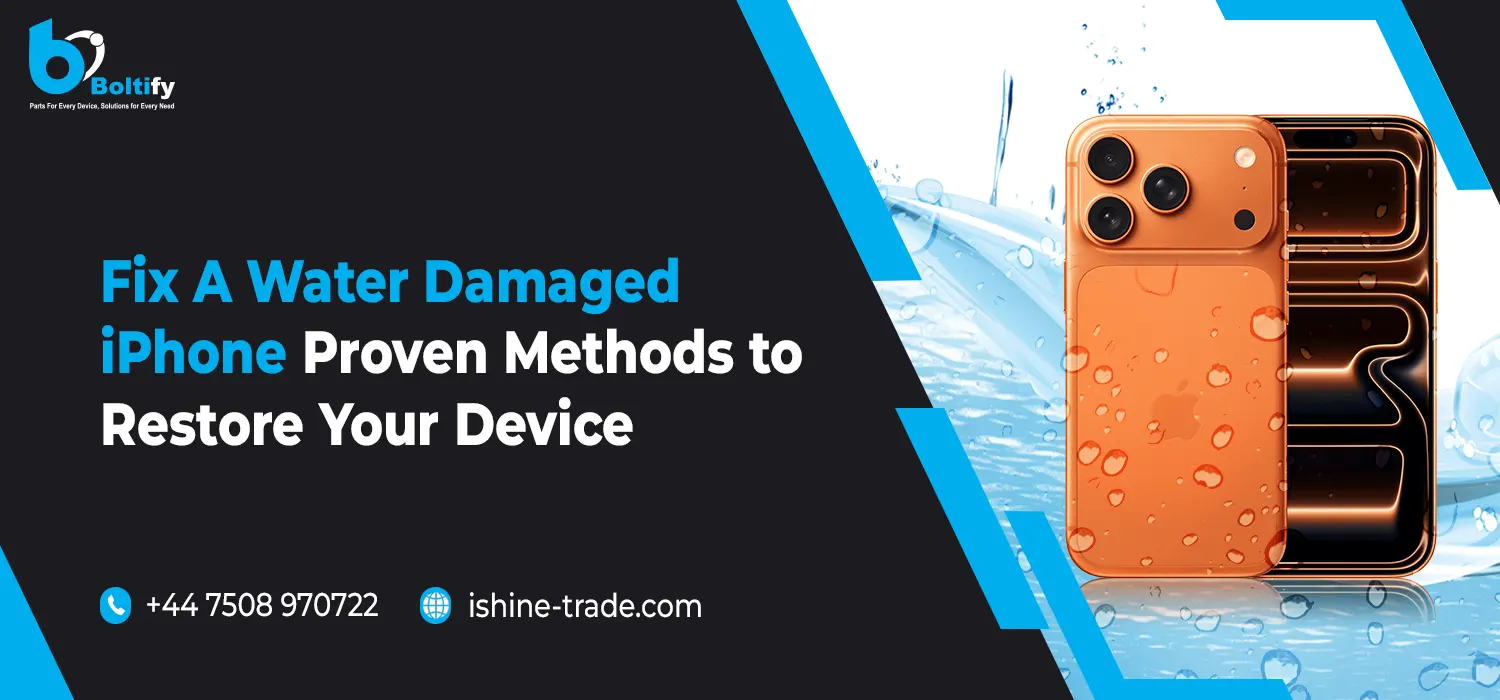
Water damaged iPhone occurs when moisture goes inside and disrupts the delicate internal parts. iPhones are not completely waterproof, though some can be resistant to water, like the iPhone 7 and newer versions; prolonged contact with water can cause serious damage. Water can leak inside and damage your phone’s motherboard, screen, camera, battery, and other vital components.
Signs of Water Damage in Your iPhone
– Unresponsive or flickering screen: If your phone display is unresponsive or flickering wildly, it is most likely the result of water.
– Sudden shutdown or failure to turn on: Water may cause a short circuit in your iPhone’s power system and make it shut down or fail to turn on.
– Distorted or blurry camera images: due to fogging inside the camera lens or other effects on the performance of the camera.
– Moisture in the screen or inside the phone: If you see any signs of visible moisture inside your device, it’s an indication of water damage.
Immediate Steps to Take After Water Damage
Speed is the most important aspect when attempting to restore an iPhone damaged by water. The sooner you act, the better the chances are for repairing the device without permanent damage being caused.
1. Turn Off Your iPhone Immediately
The very first thing you should do after your iPhone comes into contact with water is to switch it off. This prevents the water from coming into contact with the electrical components, which would make the damage worse by creating a short circuit.
2. Remove Any Accessories
First, remove any case or covers including headphones, charging cables, or external battery packs. These types of accessories trap water inside and prevent proper drying.
3. Dry the Exterior
Gently wipe off any water from the exterior of the device with a soft towel or cloth. Avoid pressing any buttons or openings. Be more careful in cases where the water has gotten inside through the charging port or headphone jack to avoid pushing the water further inside.
4. Remove the SIM Card and Tray
Water might also accumulate in the SIM card tray. To facilitate the drying process, remove the SIM card tray and even the card itself, placing it in a dry place.
Effective Methods to Fix a Water Damaged iPhone
Once you are done with the immediate steps, now it’s time to dry your iPhone and try to revive it. Here are a few effective ways to help you do so.
1. Use Silica Gel
Silica gel is a substance that can effectively absorb moisture. You can place your water-damaged iPhone in a sealed bag with silica gel packets instead of using rice, as it can introduce dust and particles into the device. Silica gel will help to draw out moisture from your iPhone. For the best results, let the device rest in a sealed bag for up to 48 hours.
2. The Rice Method (Not Recommended, but It Can Help)
If you don’t have silica gel, then uncooked rice may be used in an emergency situation. The rice will absorb the moisture; it is just not as effective as silica gel and may create dust to get stuck inside the device. Put your iPhone in a bowl of rice and let it be for at least 24-48 hours.
3. Use a Hair Dryer (With Caution)
You can use a blow dryer to warm the phone’s exterior, which would encourage the water inside it to evaporate. However, be sure to put the blow dryer on a cool or low heat setting since extreme heat will damage your iPhone’s internal components. Remember to hold it far enough away and to move it around across the phone to avoid overheating one spot for too long.
4. Desiccant Bags or Vacuum Sealing
Other options that might help draw out moisture include desiccant bags, which sometimes come in shoe boxes or with new products. You can also put your device in a vacuum-sealed plastic bag-without the actual vacuum-to help raise the air pressure around your phone and hasten the process of extracting the moisture.
Professional Repair Services: When to Seek Help
If your iPhone doesn’t turn on with the help of the mentioned DIY methods, or if you feel that some functions aren’t working properly, then it’s time to look for professional repair services.
1. Apple Support
Water damage repair is available for the iPhone from Apple, although it’s worth noting that water damage is not covered under warranty unless one has AppleCare+ with accidental damage protection. The Apple technicians will assess the damage and provide repair options, which may include replacing parts or the entire device.
2. Authorized Repair Shops
If the price for services at Apple is a bit steep or if your warranty does not cover water damage, head over to an authorized third-party repair shop. Specializing in water damage restoration, these repair shops can repair your phone at a far lower cost compared to having it done by Apple.
3. Local Repair Technicians
There are plenty of independent repair technicians who can fix water-damaged iPhones. They may offer cheaper solutions compared to Apple, but the important thing is to choose a reputable technician who will provide quality service and parts.
Also Check: Essential Mobile Phone Repair Tools Every Technician Must Have
Preventing Future Water Damage to Your iPhone
Once your iPhone has been repaired or restored, you will want to take some steps to protect it from water damage in the future. Fortunately, several options are available that can help you keep your device safe.
1. Waterproof Cases
Invest in a waterproof case for your iPhone. Several brands have produced fully submersible cases; even more provide extra protection against spills, rain, or accidental drops in water.
2. Use a Screen Protector
No screen protector can stop water from getting inside the device. A screen protector, however, protects your iPhone against scratches and minor damage to the external surface.
3. Be Mindful of Environmental Factors
Avoid exposing your iPhone to extreme conditions. Don’t take your phone into the bathroom when you’re taking a hot shower, or leave it near the poolside. Even water-resistant phones can suffer damage from prolonged exposure to water.
When to Replace Your iPhone: Signs of Irreparable Damage
Unfortunately, sometimes the water damage can be so severe that it’s impossible to restore your device. Here are some signs that your iPhone may need to be replaced:
– Persistent screen issues: If, after going through all kinds of restoration methods, the screen remains black or flickers, then this is clear evidence that the internal parts are badly damaged.
– Water residue or corrosion: If you see water residue or corrosion inside your iPhone or in the charging port, it’s a sign that the damage is too extensive.
– Numerous breakdowns: If your iPhone switches off too often or you begin to notice disturbances in basic functions, such as a touchscreen or problems with charging, it’s time to replace it.
Also Check: Best Affordable iPhone Replacement Screens: How to Choose Quality Without Breaking Your Budget
Conclusion: Bringing Your Water Damaged iPhone Back to Life
Water damaged iPhone fixing can be difficult, but you may restore your device using the right methods and acting quickly. Keep in mind that the quicker you take action, the greater the possibility to fix the issue with fewer further complications. Don’t hesitate to seek professional help if your attempts don’t work.
At Ishine Trade, we understand the frustration that comes along with damage to devices. As a wholesaler supplier, we offer you quality replacement parts and repair tools to restore your device to its former glory. Whether you need a new battery, screen, or other internal components-we’ve got you covered!
By following these steps and taking precautions, you can protect your iPhone from future water damage and continue to enjoy its functionality. And, if all else fails, there’s always the option to upgrade to a newer model! Stay safe, keep your iPhone dry, and keep it running smoothly!