Complete Guide to Samsung Replacement Parts: Screens, Batteries, Charging Ports, Cameras & Accessories
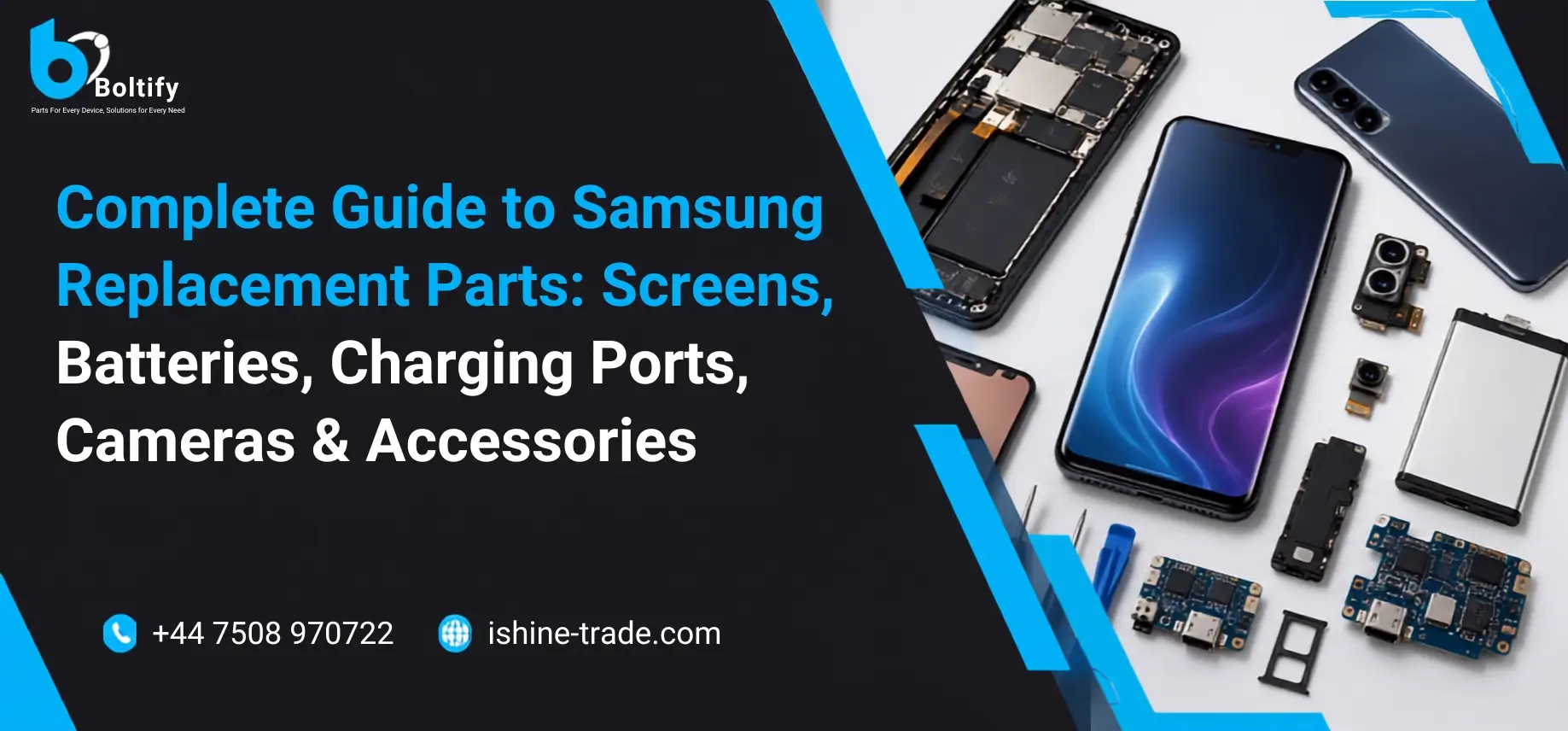
Samsung has established itself as one of the world’s leading smartphone manufacturers, offering devices that combine innovation, performance, and reliability. From the budget-friendly Galaxy A Series to the premium Galaxy S Ultra lineup and the innovative Galaxy Z Fold and Z Flip devices, Samsung smartphones are designed to meet the needs of everyday users, professionals, gamers, and businesses alike.
Over the years, Samsung has introduced significant advancements in smartphone technology, including industry-leading AMOLED displays, powerful processors, advanced camera systems, long-lasting batteries, and premium build quality. These innovations have helped Samsung build one of the largest smartphone user bases worldwide.
However, no smartphone is immune to accidental damage or hardware wear. A cracked display, weakened battery, faulty charging port, damaged camera module, or malfunctioning motherboard can affect the overall performance of a Samsung device. In many situations, replacing the damaged component is a far more practical and cost-effective solution than purchasing a brand-new phone.
This is where Samsung replacement parts become essential.
Whether you’re repairing your own device, operating a mobile repair shop, managing a wholesale business, or supplying replacement components to technicians, selecting the correct parts directly impacts repair quality, device reliability, and customer satisfaction.
If you’re sourcing Wholesale Samsung Screen products, choosing the correct display assembly is particularly important. Samsung uses different display technologies, connectors, frame designs, and hardware revisions across its Galaxy smartphone range. Ordering the wrong screen can lead to compatibility issues, installation difficulties, and unnecessary repair costs.
Beyond display assemblies, Samsung smartphones contain dozens of repairable components, including batteries, charging ports, cameras, speakers, microphones, back glass panels, fingerprint sensors, flex cables, and motherboards. Understanding how these components work—and knowing when they should be replaced—helps technicians perform better repairs while enabling buyers to make informed purchasing decisions.
This comprehensive guide explores every major Samsung replacement part, explains common hardware problems, compares genuine and aftermarket options, and provides practical advice for repair professionals, wholesalers, retailers, and everyday Samsung users. Whether you’re replacing a single damaged component or purchasing parts in bulk, this guide will help you choose compatible, high-quality products with confidence.
Understanding Samsung Replacement Parts
Every Samsung smartphone is built using dozens of precisely engineered hardware components that work together to deliver smooth performance, vibrant visuals, fast charging, reliable connectivity, and excellent photography. When one of these components becomes damaged or reaches the end of its lifespan, replacing only the faulty part is often the smartest and most economical solution.
Samsung replacement parts include every serviceable hardware component inside a Galaxy smartphone. Some parts naturally wear out over time, while others are commonly damaged by accidental drops, liquid exposure, electrical faults, or everyday use.
Instead of replacing the entire phone, technicians can restore its functionality by replacing the defective component. This not only reduces repair costs but also extends the usable life of the device and helps reduce electronic waste.
For businesses, quality replacement parts are equally important. Repair shops rely on dependable components to minimise repeat repairs, while wholesalers and retailers need consistent product quality to maintain customer satisfaction and reduce warranty claims.
Common Samsung Replacement Parts
Some of the most frequently replaced Samsung components include:
- Display assemblies
- Touchscreen digitizers
- OLED and AMOLED display panels
- Batteries
- Charging port assemblies
- Rear camera modules
- Front-facing cameras
- Camera lens glass
- Motherboards
- Loudspeakers
- Earpiece speakers
- Microphones
- Power button flex cables
- Volume button flex cables
- Side key assemblies
- Fingerprint sensors
- Back glass panels
- Middle frames
- Complete housings
- SIM trays
- Wireless charging coils
- NFC modules
- Vibration motors
Each component performs a specific role, and selecting the correct replacement requires more than simply matching the phone’s marketing name.
For example, two smartphones sold under the same Galaxy model may have different regional variants, connector layouts, or hardware revisions. Installing an incompatible replacement part can result in poor performance or prevent the device from functioning correctly.
This is why professional repair technicians always verify the exact model number before ordering replacement parts.
Why Samsung Replacement Parts Are in High Demand
Samsung sells millions of smartphones every year across entry-level, mid-range, and flagship categories. As these devices age, the demand for reliable replacement parts naturally increases.
Several factors contribute to this demand:
Accidental Damage
Cracked screens remain the most common repair performed on Samsung smartphones. Even devices protected by tempered glass or protective cases can suffer display damage after a heavy impact.
Battery Wear
Lithium-ion batteries gradually lose capacity over time. After hundreds of charging cycles, users may notice reduced battery life, slower charging, or unexpected shutdowns.
Daily Wear and Tear
Components such as charging ports, speakers, microphones, and side buttons experience constant use. Over time, these parts can wear out and require replacement.
Liquid Damage
Although many flagship Samsung devices include water-resistance features, liquid exposure can still damage charging ports, displays, cameras, or internal circuitry if seals are compromised.
Business Demand
Repair centres, refurbishing companies, and wholesalers purchase Samsung replacement parts in bulk to support a growing market for smartphone repairs. As consumers increasingly choose repairs over replacing their devices, demand for dependable components continues to grow.
Benefits of Replacing Individual Components
Replacing only the damaged component offers several advantages over purchasing a new smartphone.
Lower Repair Costs
Replacing a screen, battery, or charging port is usually far less expensive than buying a new device, especially when the rest of the phone is still in good condition.
Longer Device Lifespan
A quality repair can add years to the usable life of a Samsung smartphone, allowing users to continue using a familiar device without the expense of upgrading.
Environmental Benefits
Repairing devices instead of replacing them helps reduce electronic waste and supports a more sustainable approach to consumer electronics.
Better Value for Businesses
Repair businesses benefit from lower return rates and improved customer satisfaction when they use reliable replacement parts. Consistent repair quality also helps build trust and encourages repeat business.
Why High-Quality Samsung Replacement Parts Matter
Not all replacement parts are manufactured to the same standard. While low-cost components may reduce the initial repair cost, they often compromise durability, compatibility, and overall performance.
For example, a low-quality display may have poor colour accuracy, reduced brightness, weak touch sensitivity, or shorter lifespan. Similarly, an inferior battery may lose capacity quickly, overheat during charging, or deliver inconsistent performance.
Choosing high-quality Samsung replacement parts provides significant long-term benefits.
Better Compatibility
Quality components are designed to fit correctly and work seamlessly with the device’s hardware, reducing installation problems and compatibility issues.
Reliable Performance
Premium replacement parts restore the phone’s original functionality more effectively, whether that involves display quality, charging performance, battery life, or camera operation.
Improved Durability
Higher-quality materials generally last longer and perform more consistently under everyday use.
Reduced Warranty Claims
For repair businesses, reliable parts help minimise repeat repairs and warranty returns, saving both time and money.
Greater Customer Satisfaction
Customers expect repaired devices to perform as close to the original as possible. Using dependable replacement parts helps meet those expectations and strengthens customer confidence.
Expert Tip: Never judge a replacement part by price alone. A slightly higher-quality component often reduces future repair costs by offering better durability, compatibility, and long-term performance.
Genuine vs OEM vs Aftermarket Samsung Parts
One of the most important decisions when purchasing Samsung replacement parts is choosing the right quality grade. Whether you’re repairing a single device or sourcing components for a repair business, understanding the differences between genuine, OEM, and aftermarket parts can help you make better buying decisions and avoid unnecessary repair issues.
Although these three categories often look similar, they can differ significantly in terms of performance, durability, compatibility, and price. Selecting the right option depends on the type of repair, customer expectations, and budget.
Genuine Samsung Parts
Genuine Samsung parts are manufactured to Samsung’s original specifications and are intended to deliver the same fit, performance, and reliability as the components installed during production.
These parts are designed to work seamlessly with compatible Galaxy devices and generally offer the highest level of consistency.
Advantages include:
- Excellent compatibility
- Original fit and finish
- Reliable touch and display performance
- Consistent colour accuracy and brightness
- High manufacturing standards
- Lower risk of compatibility issues
However, genuine parts are often more expensive and may not be readily available for every Samsung model, especially older devices.
OEM-Quality Samsung Parts
OEM stands for Original Equipment Manufacturer. In the repair industry, OEM-quality parts are widely used because they provide an excellent balance between quality and affordability.
High-quality OEM components are manufactured to meet strict production standards and are commonly chosen by professional repair businesses that want dependable performance without the higher cost often associated with genuine parts.
Benefits of OEM-quality parts include:
- Excellent overall quality
- Good compatibility
- Competitive pricing
- Reliable long-term performance
- Suitable for both individual repairs and commercial repair businesses
Many professional technicians consider premium OEM-quality parts to be one of the best options for everyday smartphone repairs.
Aftermarket Samsung Parts
Aftermarket parts are manufactured by third-party companies rather than Samsung. Because many different manufacturers produce aftermarket components, quality can vary considerably.
Premium aftermarket parts can perform very well, while lower-grade products may show noticeable differences in colour accuracy, brightness, battery life, or durability.
Some lower-quality aftermarket parts may experience:
- Reduced display brightness
- Less responsive touch performance
- Lower battery efficiency
- Poor fitment
- Shorter service life
For this reason, buying from a reputable supplier is often more important than simply choosing the lowest price.
Which Option Should You Choose?
There is no single answer that suits every repair.
If you’re repairing a premium flagship device for a customer who expects the closest possible experience to the original phone, genuine or high-quality OEM parts are usually the best choice.
For older devices or budget repairs, carefully selected aftermarket components can provide good value while keeping repair costs under control.
Instead of focusing only on price, consider:
- Overall quality
- Compatibility
- Warranty support
- Supplier reputation
- Expected lifespan
- Customer expectations
Choosing the right part is ultimately about finding the best balance between performance, reliability, and cost.
Buying Tip: Always ask your supplier about quality grading and testing procedures before placing a bulk order. Reliable suppliers should be able to explain how their parts are tested and what level of quality you can expect.
Samsung Phone Series Explained
Samsung has developed multiple smartphone series to meet different customer needs. While many replacement parts appear similar, each series uses different hardware, display technologies, camera systems, and internal layouts.
Understanding these product families makes it easier to identify compatible parts and avoid ordering mistakes.
Galaxy S Series
The Galaxy S Series represents Samsung’s flagship smartphone lineup and is designed for users who want premium performance, advanced cameras, and industry-leading displays.
These devices typically feature:
- Dynamic AMOLED displays
- High refresh rate panels
- Powerful processors
- Premium camera systems
- Wireless charging
- Water resistance
Because of their advanced hardware, Galaxy S Series repairs often require precise, model-specific replacement parts.
Popular models include:
- Galaxy S21 Series
- Galaxy S22 Series
- Galaxy S23 Series
- Galaxy S24 Series
- Galaxy S25 Series
- Galaxy S26 Series
If you’re looking for detailed repair information, you may also find these guides useful:
- Samsung Galaxy S22 Ultra Screen Replacement: Cost, Process & Best Quality Parts
- Samsung S21 Plus Screen Replacement Guide: Display Issues, Repair Costs & Parts Options
- S23 Ultra Screen Replacement Guide for Cracked and Damaged Screens
- How to Protect Your Samsung S24 LCD: Causes of Damage and Prevention Tips
These articles explore model-specific issues that complement the broader information covered in this pillar guide.
Galaxy A Series
The Galaxy A Series focuses on delivering reliable everyday performance at a more affordable price. It remains one of Samsung’s best-selling smartphone ranges, making A Series replacement parts some of the most commonly purchased components in the repair industry.
Typical repairs include:
- Screen replacements
- Battery replacements
- Charging port repairs
- Back glass replacements
- Camera module replacements
Because Samsung releases multiple A Series devices every year, it’s essential to verify the exact model number before purchasing replacement parts.
Galaxy M Series
The Galaxy M Series is known for offering large batteries and excellent value for money. These smartphones are particularly popular in many international markets.
The most common repairs include battery replacements, charging port repairs, and display replacements after accidental damage.
Although some M Series devices may share similarities with A Series models, replacement parts should never be considered interchangeable without confirming compatibility.
Galaxy Z Fold Series
The Galaxy Z Fold introduces a unique foldable design that requires specialised repair knowledge.
Unlike conventional smartphones, Fold devices include:
- Flexible inner displays
- Secondary cover displays
- Complex hinge mechanisms
- Specialised internal components
Because of this design, replacing displays or internal components requires greater precision and compatible parts specifically designed for the exact Fold model.
Galaxy Z Flip Series
The Galaxy Z Flip combines flagship performance with a compact folding form factor.
Repairs often involve:
- Flexible display assemblies
- Hinge-related components
- Battery replacement
- Charging port replacement
- Camera repairs
Due to the compact internal design, professional installation is recommended for many hardware repairs.
Galaxy FE Series
Samsung’s Fan Edition (FE) models combine flagship-inspired features with a more accessible price point.
Although these devices often resemble the Galaxy S Series, replacement components can differ depending on the model generation.
Always verify the complete model number before ordering screens, batteries, cameras, or charging ports.
Why Model Numbers Matter
One of the most common mistakes buyers make is ordering parts based only on the phone’s marketing name.
For example, a device labelled “Galaxy S23” may have regional hardware variations with differences in connectors or internal components. Checking the exact model number before placing an order helps avoid compatibility problems and unnecessary returns.
Expert Tip: Before purchasing any Samsung replacement part, confirm the model number from Settings > About Phone or the label on the SIM tray. This simple step can prevent costly ordering mistakes, especially when buying parts for multiple devices.
Samsung Display & Screen Replacement Guide
The display is one of the most advanced and expensive components in any Samsung smartphone. It serves as the primary interface between the user and the device, allowing every touch, swipe, and interaction to happen smoothly. Whether you’re browsing the web, watching videos, playing games, or using the camera, the quality of the display directly affects the overall user experience.
Samsung has been a global leader in smartphone display technology for many years. The company not only manufactures displays for its own Galaxy smartphones but has also supplied display panels to many other leading smartphone brands. This experience has allowed Samsung to introduce innovations such as Super AMOLED and Dynamic AMOLED displays, which are known for their exceptional colour accuracy, deep blacks, high brightness, and energy efficiency.
Although Samsung displays are built to a high standard, they are still among the most commonly replaced smartphone components. Everyday accidents, heavy impacts, pressure damage, manufacturing wear, and liquid exposure can all lead to display failure. Understanding how Samsung displays work and how to choose the correct replacement screen is essential for successful repairs.
Why Samsung Screens Are Frequently Replaced
Unlike internal components that remain protected inside the phone, the display is constantly exposed to daily use. Even with a protective case and tempered glass, a strong impact can crack the front glass or damage the display underneath.
Some of the most common reasons for Samsung screen replacement include:
- Accidental drops onto hard surfaces.
- Pressure damage caused by sitting on the phone or placing heavy objects on it.
- Liquid damage affecting the display connectors.
- Burn-in caused by prolonged use at high brightness.
- Manufacturing wear after years of regular use.
- Failed touch digitizers.
- Dead pixels or display panel failure.
In many situations, replacing the display restores the phone to full working condition without requiring any additional repairs.
Understanding Samsung Display Technologies
Samsung has introduced several display technologies over the years, with each generation improving brightness, colour reproduction, energy efficiency, and durability. Knowing which display technology is used in a particular device helps buyers choose the correct replacement part.
TFT LCD
Thin Film Transistor (TFT) LCD displays are generally found in older and entry-level Samsung smartphones.
Although TFT displays remain reliable, they have several limitations compared to OLED-based technologies.
Characteristics include:
- Lower contrast ratio
- Higher power consumption
- More limited viewing angles
- Lower production cost
- Affordable replacement price
Today, TFT displays are primarily used in budget-friendly Galaxy models where keeping manufacturing costs low is a priority.
PLS LCD
Plane-to-Line Switching (PLS) is Samsung’s own LCD technology.
Compared with traditional TFT panels, PLS displays offer:
- Better brightness
- Improved colour accuracy
- Wider viewing angles
- Better outdoor visibility
- Lower manufacturing costs than OLED panels
Several Galaxy A Series devices and Samsung tablets use PLS displays because they provide a good balance between affordability and visual quality.
OLED Displays
Organic Light Emitting Diode (OLED) technology represented a major step forward in smartphone display development.
Unlike LCD panels that rely on a backlight, OLED screens allow every individual pixel to produce its own light.
This offers several advantages:
- True black colours
- Higher contrast ratios
- Better battery efficiency
- Slimmer display construction
- Faster response times
OLED displays are widely used across Samsung’s mid-range and flagship smartphones.
AMOLED Displays
AMOLED stands for Active Matrix Organic Light Emitting Diode.
It builds upon OLED technology by improving response speed and display efficiency.
AMOLED displays provide:
- Rich colour reproduction
- Excellent contrast
- Smooth animations
- Better battery performance
- Improved outdoor visibility
These displays became one of Samsung’s biggest competitive advantages and remain popular across many Galaxy smartphones.
Super AMOLED Displays
Samsung later introduced Super AMOLED technology by integrating the touch layer directly into the display panel.
This innovation reduced screen thickness while improving responsiveness and visibility.
Advantages include:
- Faster touch response
- Improved sunlight readability
- Reduced reflections
- Lower power consumption
- Slimmer overall design
Many Galaxy S Series and premium Galaxy A Series smartphones continue to use Super AMOLED displays because they deliver a premium viewing experience.
Dynamic AMOLED Displays
Dynamic AMOLED represents Samsung’s most advanced smartphone display technology.
Found mainly in flagship Galaxy S Ultra and Galaxy Z devices, Dynamic AMOLED displays deliver:
- Exceptional colour accuracy
- HDR10+ support
- High peak brightness
- Excellent energy efficiency
- Reduced blue light emission
- Smooth refresh rates up to 120Hz and beyond on supported models
These premium displays require carefully matched replacement assemblies to maintain the original performance of the device.
OLED vs AMOLED vs Dynamic AMOLED
Many buyers assume these display names refer to completely different technologies, but they are actually part of the same evolution.
| Display Type | Best Used In | Main Advantages |
|---|---|---|
| OLED | Mid-range devices | Excellent contrast and power efficiency |
| AMOLED | Premium smartphones | Better responsiveness and colour reproduction |
| Super AMOLED | Galaxy S & A Series | Integrated touch layer, improved visibility |
| Dynamic AMOLED | Flagship Galaxy devices | HDR support, higher brightness, smoother refresh rates |
Understanding these differences helps buyers choose the correct replacement display instead of relying solely on price.
Common Samsung Screen Problems
A cracked screen is not the only reason a Samsung display may require replacement. Many display issues develop internally and may not be immediately visible.
Cracked Front Glass
The outer glass is designed to absorb impact, but severe drops can cause visible cracks. While the phone may continue functioning, damaged glass weakens the display assembly and increases the risk of further failure.
Black Screen with Working Phone
If the phone vibrates, rings, or receives notifications but the display remains black, the OLED panel or display connector may have failed.
This is one of the most common reasons for complete display replacement.
Vertical Green or Pink Lines
Green, pink, or white lines often appear after impact damage or internal panel failure.
Although software issues are occasionally responsible, permanent lines usually indicate physical display damage.
Ghost Touch
Ghost touch occurs when the phone registers screen input without the user touching the display.
Common causes include:
- Damaged digitizer
- Internal display failure
- Moisture damage
- Poor-quality replacement screens
Screen Flickering
Random brightness changes or flickering displays can result from damaged display panels, loose connectors, or hardware faults.
If troubleshooting does not resolve the issue, replacing the display assembly is often necessary.
Dead Pixels
Dead pixels appear as small black or permanently coloured dots that never change colour.
These defects usually spread over time and cannot be repaired individually.
Display Burn-In
AMOLED displays can develop permanent image retention after displaying static content for extended periods.
Although software adjustments may reduce visibility, severe burn-in generally requires display replacement.
Ink Spots or Black Patches
Dark patches spreading across the display are usually caused by internal OLED damage.
These areas typically increase in size over time and indicate that the display assembly has been physically damaged.
When Should You Replace a Samsung Screen?
Not every display problem requires immediate replacement, but delaying repairs can often make the situation worse. A small crack may gradually spread across the screen, moisture can enter through damaged glass, and continued pressure on a faulty display may eventually affect the touch sensor or internal components.
Knowing when to replace a Samsung screen helps avoid additional repair costs and prevents further damage to the device.
You should consider replacing your Samsung display if you experience any of the following:
- The front glass is cracked and affecting visibility.
- Touch response has become slow or inconsistent.
- The display remains black even though the phone powers on.
- Green, pink, or white vertical lines continue to appear.
- Black ink-like spots are spreading across the display.
- Screen flickering occurs during normal use.
- Large areas of the touchscreen no longer respond.
- Severe display burn-in affects readability.
- Brightness suddenly changes without user input.
Although some minor cosmetic cracks may not immediately affect functionality, replacing a damaged display early often prevents more expensive repairs later.
How to Choose the Right Samsung Replacement Screen
One of the biggest mistakes buyers make is assuming that every replacement screen for a particular Galaxy model is identical. In reality, Samsung devices often have different regional versions, hardware revisions, and display assemblies.
Before purchasing a replacement screen, several important factors should always be checked.
Confirm the Exact Model Number
Never rely only on the marketing name of the phone.
For example, “Galaxy S22 Ultra” identifies the product family, but the exact model number confirms which replacement components are compatible with that specific device.
The model number can usually be found:
- In Settings > About Phone
- On the original retail box
- On the SIM tray label (supported models)
- Inside the SIM tray slot on some devices
Verifying this information before ordering greatly reduces compatibility issues.
Choose the Correct Display Technology
Samsung has used multiple display technologies across its smartphone lineup.
Depending on the model, your replacement screen may use:
- TFT LCD
- PLS LCD
- OLED
- AMOLED
- Super AMOLED
- Dynamic AMOLED
Installing an incorrect display type can affect brightness, touch sensitivity, colour accuracy, battery efficiency, and overall user experience.
Frame vs Without Frame
Replacement displays are generally available in two configurations.
Screen With Frame
A screen with a pre-installed frame includes the display already attached to the phone’s middle frame.
Advantages include:
- Faster installation
- Better alignment
- Reduced repair time
- Lower risk of damaging the display during installation
- Ideal for less experienced technicians
The main disadvantage is that these assemblies usually cost more than display-only replacements.
Screen Without Frame
Frame-less displays include only the display assembly.
Advantages include:
- Lower purchase cost
- Suitable for experienced repair technicians
- Allows reuse of the original frame if it remains undamaged
However, installation requires additional skill because the original frame must be cleaned and the new display bonded correctly.
Original, OEM, and Aftermarket Display Assemblies
Not every replacement display delivers the same level of performance.
Understanding the available quality grades helps buyers choose the most appropriate option for their repair requirements.
| Display Type | Quality | Best For |
|---|---|---|
| Genuine Samsung | Excellent | Premium repairs requiring original performance |
| OEM Quality | Very High | Professional repair businesses |
| Premium Aftermarket | Good | Cost-effective repairs with dependable quality |
| Standard Aftermarket | Varies | Budget repairs where price is the primary consideration |
Rather than focusing only on cost, buyers should evaluate display quality, supplier reputation, warranty support, and long-term reliability.
Common Mistakes to Avoid When Buying Samsung Screens
Purchasing the wrong replacement screen can increase repair costs and delay repairs. Many compatibility problems occur because buyers overlook small but important details.
Some of the most common mistakes include:
Ordering Without Checking the Model Number
Many Galaxy smartphones have similar names but different hardware versions.
Always verify the exact model number before placing an order.
Choosing the Cheapest Option
Price should never be the only deciding factor.
Extremely low-cost replacement screens often compromise display quality, durability, and touch performance.
Ignoring Supplier Reputation
Reliable suppliers invest in quality testing and provide accurate compatibility information.
Choosing a trusted supplier helps reduce returns and improves repair success.
Buying the Wrong Assembly Type
Some repairs require a complete display with frame, while others only require the display assembly.
Selecting the correct option helps simplify installation and avoid unnecessary costs.
Skipping Inspection Before Installation
Always inspect a replacement display before fitting it.
Check for:
- Physical damage
- Connector condition
- Manufacturing defects
- Protective films
- Correct model compatibility
Once adhesive is applied, returning the part may become more difficult.
Expert Tip: Professional repair technicians often perform a temporary functionality test before permanently installing a replacement display. Confirming touch response, brightness, and image quality beforehand can save significant time if a manufacturing defect is discovered.
Samsung Screen Compatibility Guide
Compatibility is one of the most overlooked aspects of smartphone repair.
Even when two Samsung devices appear almost identical, they may use different display connectors, cable layouts, frame designs, or display technologies.
Before ordering a replacement screen, always confirm:
- Exact model number
- Device series
- Screen size
- Display technology
- Connector compatibility
- Frame compatibility
- Colour variant (where applicable)
Taking a few extra minutes to verify compatibility helps prevent unnecessary returns, delays, and installation problems.
Repairing Different Samsung Galaxy Series
Although the overall repair process is similar, different Galaxy series present different challenges.
Galaxy S Series
Galaxy S Series smartphones often feature premium AMOLED or Dynamic AMOLED displays with higher refresh rates and thinner bezels. Repairs require precise model matching and careful handling to preserve display quality.
These model-specific resources explore repair costs, common display faults, and replacement considerations in greater detail.
Galaxy A Series
Galaxy A Series smartphones are among the most frequently repaired Samsung devices because of their popularity across different price ranges.
Typical repairs include:
- Screen replacement
- Battery replacement
- Charging port replacement
- Back glass replacement
Because Samsung releases multiple A Series models every year, checking the exact model number remains essential before purchasing replacement parts.
Galaxy Z Fold & Z Flip
Foldable Galaxy smartphones use specialised flexible display technology and complex hinge mechanisms.
Repairs on these devices require compatible replacement components, careful installation, and greater technical experience than conventional smartphone repairs.
Protecting Your Samsung Screen After Replacement
Replacing a damaged display restores the functionality of your smartphone, but protecting the new screen is equally important.
Simple preventative measures can significantly reduce the risk of future damage.
Consider using:
- A high-quality tempered glass screen protector.
- A durable protective case.
- Safe charging habits that reduce unnecessary heat.
- Careful storage to avoid pressure damage.
- Regular cleaning with suitable materials.
Taking these precautions helps maximise the lifespan of your replacement display and reduces the likelihood of another repair.
If you’re looking for additional ways to protect your display, our How to Protect Your Samsung S24 LCD: Causes of Damage and Prevention Tips guide provides practical advice that can also be applied to many other Galaxy smartphones.
Samsung Battery Replacement Guide
The battery is one of the few smartphone components that naturally wears out over time. Unlike a display or camera that is usually replaced after accidental damage, every lithium-ion battery gradually loses its ability to hold a charge as it ages. This is completely normal and happens regardless of how carefully the phone is used.
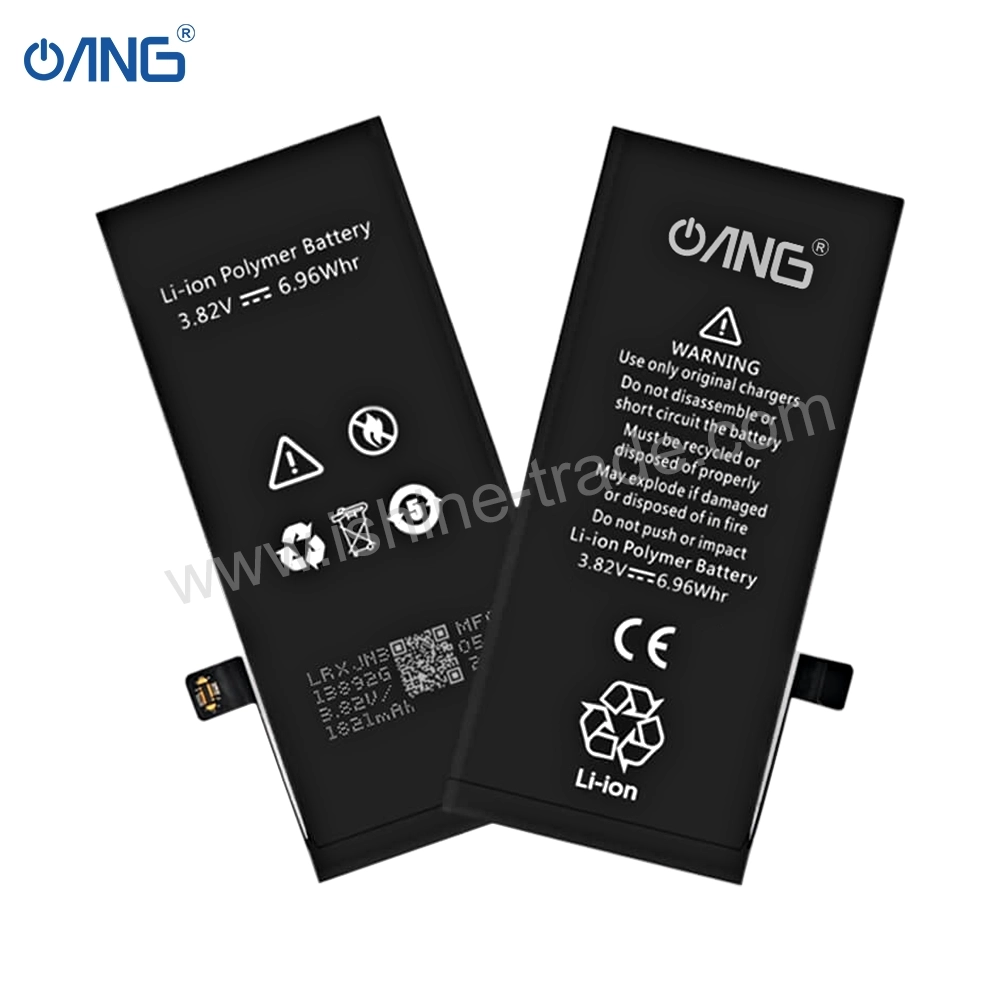
Samsung designs its Galaxy smartphones with high-quality rechargeable batteries that can withstand hundreds of charging cycles. However, after years of regular use, users often notice shorter battery life, slower charging speeds, unexpected shutdowns, or overheating. When these problems begin affecting daily use, a Samsung Battery Replacement is usually the most practical solution to restore reliable performance and improve everyday usability.
A quality Samsung Battery Replacement can significantly improve standby time, restore stable performance, and allow users to continue using their device without investing in a new smartphone.
How Long Does a Samsung Battery Last?
There is no fixed lifespan because battery performance depends on charging habits, usage patterns, environmental conditions, and the age of the device.
In general, Samsung smartphone batteries perform reliably for several years under normal use before noticeable degradation occurs.
Battery health may decline more quickly if the device is frequently exposed to:
- High temperatures
- Heavy gaming sessions
- Fast charging multiple times every day
- Complete battery drain on a regular basis
- Poor-quality charging accessories
Although battery ageing cannot be prevented entirely, good charging habits can slow the process and extend overall battery life.
Common Signs Your Samsung Battery Needs Replacement
Battery issues usually develop gradually, making them easy to overlook at first. Paying attention to early warning signs can help prevent unexpected shutdowns and improve the overall user experience.
Common symptoms include:
Rapid Battery Drain
One of the most obvious signs is a battery that no longer lasts through a normal day of use.
If screen-on time has decreased significantly despite similar usage habits, the battery may have reached the end of its service life.
Unexpected Shutdowns
A Samsung phone that switches off while showing 20% or 30% battery remaining often indicates battery degradation.
The battery may no longer provide stable voltage under heavy workloads.
Slow Charging
Charging speed can decrease as the battery ages.
Although charging accessories should also be checked, an ageing battery may require significantly more time to reach a full charge.
Overheating
While smartphones naturally become warm during gaming or fast charging, excessive heat during light usage may indicate battery deterioration.
Persistent overheating should never be ignored because it can affect other internal components.
Battery Swelling
Battery swelling is one of the most serious warning signs.
A swollen battery may:
- Lift the display.
- Push against the back cover.
- Damage internal components.
- Create safety risks.
If battery swelling is noticed, the device should be powered off and repaired as soon as possible.
Choosing the Right Samsung Replacement Battery
Not every replacement battery offers the same quality or reliability.
When selecting a replacement battery, consider:
- Correct model compatibility
- Reliable manufacturing quality
- Stable capacity
- Built-in protection circuits
- Warranty support
- Trusted supplier reputation
Avoid choosing a battery solely because it claims a higher capacity than the original specification. Unrealistic capacity claims are often associated with lower-quality products.
Expert Tip: Before replacing a Samsung battery, inspect the charging port and charging cable as well. Many charging complaints are caused by worn charging ports or damaged accessories rather than the battery itself.
Samsung Charging Port Replacement
The charging port is one of the most frequently used components in any Samsung smartphone. Every charging cycle, data transfer, Android Auto connection, or accessory relies on this small but essential component.
Because it experiences constant mechanical wear, charging port failures become increasingly common as devices age.
Fortunately, replacing a damaged charging port is often far less expensive than replacing the entire phone.
Common Causes of Charging Port Failure
Charging ports can fail for several reasons, including:
- Frequent cable insertion and removal
- Dust and pocket lint accumulation
- Liquid exposure
- Bent connector pins
- Physical impact
- Poor-quality charging accessories
Routine cleaning and careful cable handling can often extend the life of the charging port.
Signs of a Faulty Charging Port
A damaged charging port may cause a variety of problems, including:
- Charging only when the cable is held at a certain angle.
- Slow charging.
- Intermittent charging.
- Device repeatedly disconnecting.
- USB data transfer failure.
- Charger no longer fitting securely.
- Phone failing to recognise the charging cable.
These symptoms should be diagnosed before replacing the battery, as many charging problems originate from the charging port itself.
Can a Charging Port Be Repaired?
Minor issues caused by dust or lint can often be resolved through careful cleaning.
However, replacement is generally recommended when:
- Internal pins are damaged.
- Corrosion is present.
- The connector has become loose.
- Physical impact has broken the charging assembly.
Many Samsung smartphones use modular charging boards, making repairs quicker and more affordable.
Tips for Extending Charging Port Life
Simple habits can reduce unnecessary wear:
- Disconnect cables gently.
- Keep the charging port clean.
- Avoid forcing incompatible connectors.
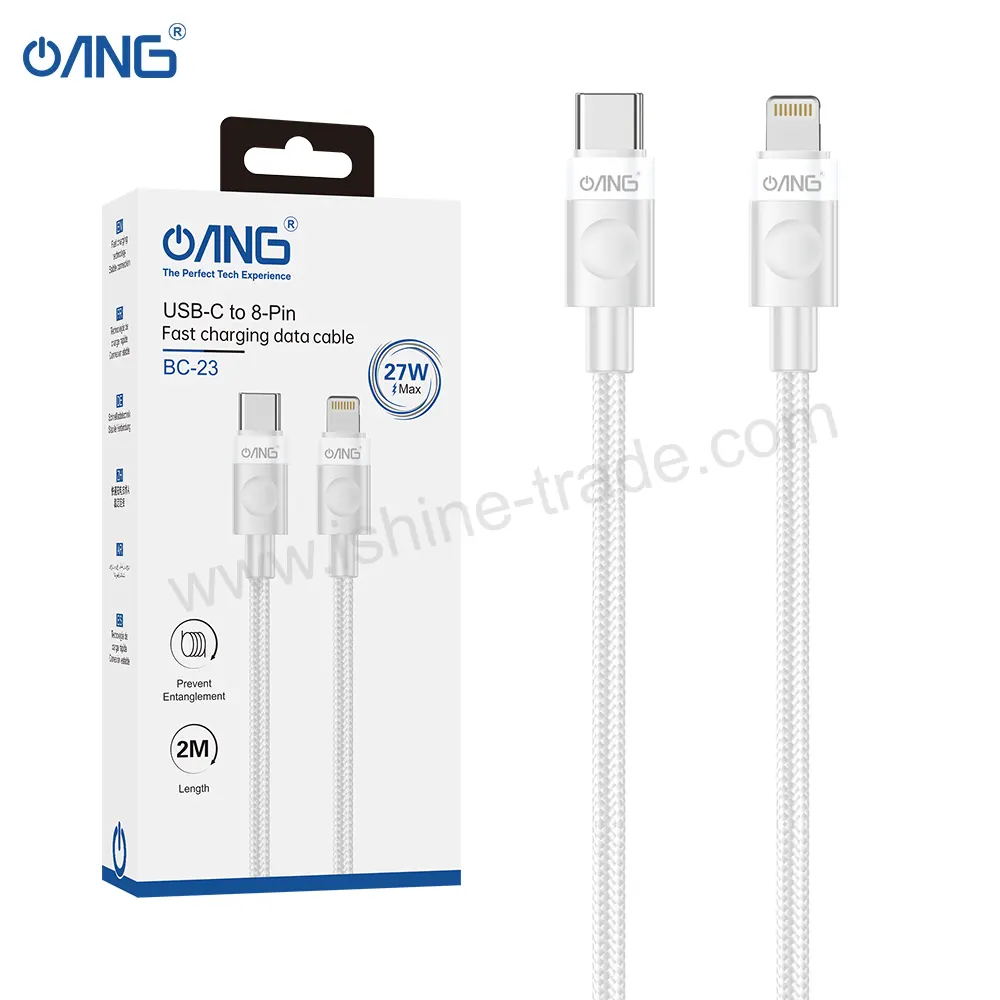
- Use high-quality USB-C cables.
- Protect the phone from moisture and dust whenever possible.
Small preventative measures can significantly increase the lifespan of the charging port.
Samsung Camera Replacement Guide
Samsung smartphones have earned an excellent reputation for mobile photography. Flagship Galaxy devices feature advanced camera systems capable of producing professional-quality images and videos.
Although camera hardware is highly reliable, accidental damage, liquid exposure, or hardware failure can eventually require replacement.
Fortunately, many camera problems can be resolved by replacing only the affected module.
Common Samsung Camera Problems
Camera issues vary depending on the affected component.
Typical symptoms include:
- Blurry photographs
- Camera application crashes
- Black camera preview
- Autofocus failure
- Camera shaking while recording
- Dust inside the camera lens
- Cracked camera lens glass
- Error messages when opening the camera
Professional diagnosis helps determine whether the problem lies with the camera module, lens glass, software, or motherboard.
Rear Camera Replacement
Rear cameras contain multiple precision components that work together to capture high-quality images.
Replacing the rear camera may be necessary if:
- Images remain blurry after cleaning the lens.
- Autofocus no longer functions correctly.
- The camera has suffered physical impact.
- Internal stabilisation has failed.
Using compatible replacement modules helps restore original image quality.
Front Camera Replacement
Front-facing cameras support:
- Selfies
- Video calls
- Facial recognition
- Content creation
If the front camera produces blurred images or fails to open, replacing the camera module is often the most effective solution.
Camera Lens Glass Replacement
Sometimes only the protective outer glass becomes cracked while the camera itself continues functioning normally.
Replacing only the lens glass can restore protection without replacing the complete camera module, provided the internal camera remains undamaged.
Samsung Motherboard Replacement Guide
The motherboard is the central circuit board inside every Samsung smartphone. It connects the processor, storage, memory, cameras, charging system, wireless communication modules, and numerous other components.
Because nearly every hardware function depends on the motherboard, faults can produce a wide variety of symptoms.
Unlike screens or batteries, motherboard problems often require advanced diagnostic equipment and experienced technicians.
Common Symptoms of Motherboard Failure
Possible warning signs include:
- Phone will not power on.
- Continuous boot loops.
- No display despite a working screen.
- Charging failure.
- No mobile network signal.
- Wi-Fi or Bluetooth no longer functioning.
- Random restarts.
- Severe overheating.
These symptoms can sometimes resemble battery or charging port issues, making accurate diagnosis essential before replacing any component.
Common Causes of Motherboard Damage
Motherboard failures are commonly caused by:
- Liquid damage
- Electrical short circuits
- Heavy impact
- Overheating
- Failed charging circuits
- Incorrect repair procedures
Early diagnosis can sometimes allow individual components on the motherboard to be repaired rather than replacing the entire board.
Repair or Replace?
Not every motherboard fault requires complete replacement.
Professional technicians may be able to repair:
- Charging circuits
- Power management components
- Damaged connectors
- Individual integrated circuits
However, if damage is extensive, replacing the motherboard may be the more reliable and economical option.
If you’re troubleshooting motherboard problems on an older Galaxy device, our Samsung A50 Motherboard Replacement: Faults, Symptoms, and Repair Details guide explains common faults, repair considerations, and replacement options in greater detail.
Other Samsung Replacement Parts
While displays, batteries, charging ports, and cameras are among the most commonly replaced Samsung components, they are not the only parts that fail over time. Many smaller components play a vital role in the overall performance of a Galaxy smartphone, and replacing a single faulty part can often restore full functionality without requiring a major repair.
Understanding these components helps technicians diagnose problems more accurately and allows buyers to source the correct replacement parts for different repair scenarios.
Back Glass Replacement
Modern Samsung smartphones feature premium glass backs that improve aesthetics and support wireless charging. However, they are also vulnerable to cracks caused by accidental drops or impacts.
A damaged back glass should not be ignored because it can expose internal components to dust, moisture, and further damage.
Replacing the back glass helps:
- Restore the phone’s original appearance.
- Protect internal hardware.
- Maintain wireless charging performance.
- Prevent cracks from spreading.
- Improve resale value.
When replacing the back glass, technicians should also inspect the camera lens area and replace waterproof adhesive where applicable.
Middle Frame and Housing
The middle frame acts as the structural foundation of the smartphone. It supports the display, motherboard, battery, cameras, and other internal components.
A replacement may be required if the frame becomes:
- Bent after a heavy impact.
- Cracked.
- Corroded.
- Unable to hold components securely.
Using a damaged frame during a display repair can place uneven pressure on the screen and reduce the lifespan of the replacement assembly.
Loudspeaker Replacement
The loudspeaker is responsible for media playback, alarms, notifications, and speakerphone calls.
Common signs of failure include:
- Distorted sound
- Low volume
- Crackling audio
- No sound during media playback
Before replacing the speaker, technicians should check for dust or debris blocking the speaker mesh, as simple cleaning may resolve the issue.
Earpiece Speaker Replacement
The earpiece speaker allows users to hear callers during standard voice calls.
Common symptoms include:
- Very low call volume
- Distorted voices
- Intermittent audio
- No sound during calls
Replacing the earpiece module usually restores normal call quality when software or network issues have been ruled out.
Microphone Replacement
Samsung smartphones use multiple microphones for calls, voice recording, video recording, and noise cancellation.
A faulty microphone may cause:
- Poor call quality
- Voice recordings with low volume
- Google Assistant failing to recognise commands
- Distorted audio in videos
Because dust and moisture can also affect microphone performance, cleaning and diagnosis should always be performed before replacing the component.
Fingerprint Sensor
Many Samsung smartphones include either an in-display fingerprint sensor or a side-mounted fingerprint scanner.
Common issues include:
- Fingerprint not recognised
- Slow authentication
- Complete sensor failure
- Damage after display replacement
When replacing displays on supported devices, technicians should ensure the replacement assembly is fully compatible with the fingerprint sensor.
Flex Cables
Flex cables connect many internal components, including:
- Power button
- Volume buttons
- Charging board
- Display
- Fingerprint sensor
- Side keys
These cables are thin and flexible, making them vulnerable to accidental damage during repairs.
Using the correct replacement flex cable helps restore functionality without replacing larger assemblies unnecessarily.
SIM Tray
Although simple, the SIM tray helps secure the SIM card and contributes to dust and moisture protection.
A replacement may be necessary if the tray is:
- Bent
- Broken
- Difficult to remove
- No longer holding the SIM card correctly
Always use the correct SIM tray designed for the exact Galaxy model.
Samsung Accessories
Replacing damaged components restores functionality, but quality accessories help protect the device from future damage and improve the overall user experience.
Some of the most popular Samsung accessories include:
- Protective phone cases
- Tempered glass screen protectors
- USB-C charging cables
- Fast wall chargers
- Wireless chargers
- Car chargers
- Power banks
- Wireless earbuds
- Camera lens protectors
- Phone holders
Using reliable accessories reduces wear on important components such as the display, battery, and charging port.
If you’re looking for recommendations on premium accessories, our Samsung Galaxy S26 Ultra Accessories: Enhance Your Phone’s Performance and Style guide explores a range of options designed to improve both protection and usability.
Samsung Parts Compatibility Guide
One of the most common reasons for unsuccessful smartphone repairs is ordering incompatible replacement parts.
Even devices with similar names may use different hardware revisions, connector layouts, or display assemblies.
Before purchasing any Samsung replacement component, verify:
- Exact model number
- Device series
- Regional variant
- Display technology
- Connector type
- Frame compatibility
- Camera version (where applicable)
Professional repair businesses routinely confirm compatibility before placing bulk orders because doing so reduces returns, installation issues, and unnecessary repair delays.
Expert Tip: Never assume two Galaxy phones use identical components simply because they share the same series name. Always verify compatibility using the exact model number.
OEM vs Aftermarket Samsung Parts
Selecting the right quality grade is one of the most important purchasing decisions.
| Feature | OEM Quality | Aftermarket |
|---|---|---|
| Compatibility | Excellent | Varies by manufacturer |
| Performance | Very High | Depends on quality |
| Durability | High | Can vary significantly |
| Price | Higher | Usually lower |
| Best For | Professional repairs | Budget repairs |
Rather than focusing solely on price, buyers should also evaluate supplier reputation, warranty support, testing procedures, and long-term reliability.
Wholesale Buying Guide for Samsung Replacement Parts
For wholesalers, repair businesses, and retailers, buying Samsung replacement parts is about more than finding the lowest price. Consistent quality, reliable supply, and accurate compatibility information are essential for maintaining customer satisfaction and reducing warranty claims.
Before placing a bulk order, consider the following:
Verify Product Quality
Ask suppliers about their quality control process, testing procedures, and grading standards. Reliable suppliers should be transparent about the quality level of their products.
Confirm Compatibility
Always match replacement parts with the exact Samsung model number. Even small differences in hardware revisions can affect installation and performance.
Review Warranty Policies
A supplier that offers a clear warranty demonstrates confidence in the quality of their products and provides added reassurance for repair businesses.
Evaluate Packaging Standards
High-quality packaging helps protect delicate components such as displays and camera modules during shipping, reducing the risk of transit damage.
Start with Sample Orders
If you’re working with a new supplier, ordering a small batch first allows you to assess product quality, compatibility, and consistency before committing to larger purchases.
Build Long-Term Supplier Relationships
Working with a trusted supplier over time often results in more consistent product quality, better communication, and reliable stock availability.
Frequently Asked Questions
How do I know which Samsung replacement part I need?
Identify the exact Galaxy model number and diagnose the faulty component before ordering replacement parts. Accurate identification helps prevent compatibility issues.
Can I replace only the front glass instead of the complete display?
In some cases, glass-only repairs are possible using specialised equipment. However, replacing the complete display assembly is generally the more reliable solution for most repair businesses.
How long does a Samsung battery typically last?
Battery lifespan depends on usage and charging habits, but most Samsung batteries gradually lose capacity after years of regular use.
Are aftermarket Samsung parts reliable?
High-quality aftermarket components can offer dependable performance, but quality varies between manufacturers. Choosing a reputable supplier is essential.
Is repairing a Samsung phone worth it?
If the motherboard is functioning correctly and repair costs are reasonable, replacing individual components is often much more economical than purchasing a new smartphone.
Can water-damaged Samsung phones be repaired?
Yes. The success of the repair depends on how quickly the device is inspected and the extent of the internal damage.
Final Thoughts
Samsung smartphones are designed to deliver years of reliable performance, but like any electronic device, individual components eventually wear out or become damaged. Understanding how each replacement part functions—and knowing how to choose compatible, high-quality components—can make a significant difference to the success of any repair.
Whether you’re replacing a cracked display, worn battery, faulty charging port, damaged camera, or motherboard, investing in reliable Samsung replacement parts helps restore performance, extend the life of the device, and reduce unnecessary replacement costs.
For repair technicians, wholesalers, and retailers, success depends not only on using quality components but also on verifying compatibility, working with trusted suppliers, and following professional repair practices. As Samsung continues to expand its Galaxy lineup with new technologies and models, staying informed about replacement parts and repair best practices will help ensure consistent results and greater customer satisfaction.