Your Samsung Galaxy smartphone depends on a healthy battery to deliver reliable performance throughout the day. Whether you’re making calls, streaming videos, working remotely, or using GPS navigation, the battery powers every function of your device. However, like all lithium-ion batteries, Samsung batteries gradually lose their capacity over time. As battery health declines, you may notice shorter battery life, unexpected shutdowns, overheating, or slower charging speeds.
Understanding when a Samsung Battery Replacement is needed can help you avoid frustrating performance issues and extend the lifespan of your phone. Choosing a high-quality replacement battery is equally important, as it ensures better safety, reliable performance, and long-term durability. If you’re sourcing replacement parts for a repair business or retail store, working with a trusted wholesale samsung screen supplier can also provide access to compatible Samsung components and dependable product quality.
In this guide, we’ll explain the warning signs of battery failure, how long Samsung batteries typically last, what causes battery health to decline, and how to choose the right replacement battery for your Galaxy smartphone.
What Is Samsung Battery Replacement?
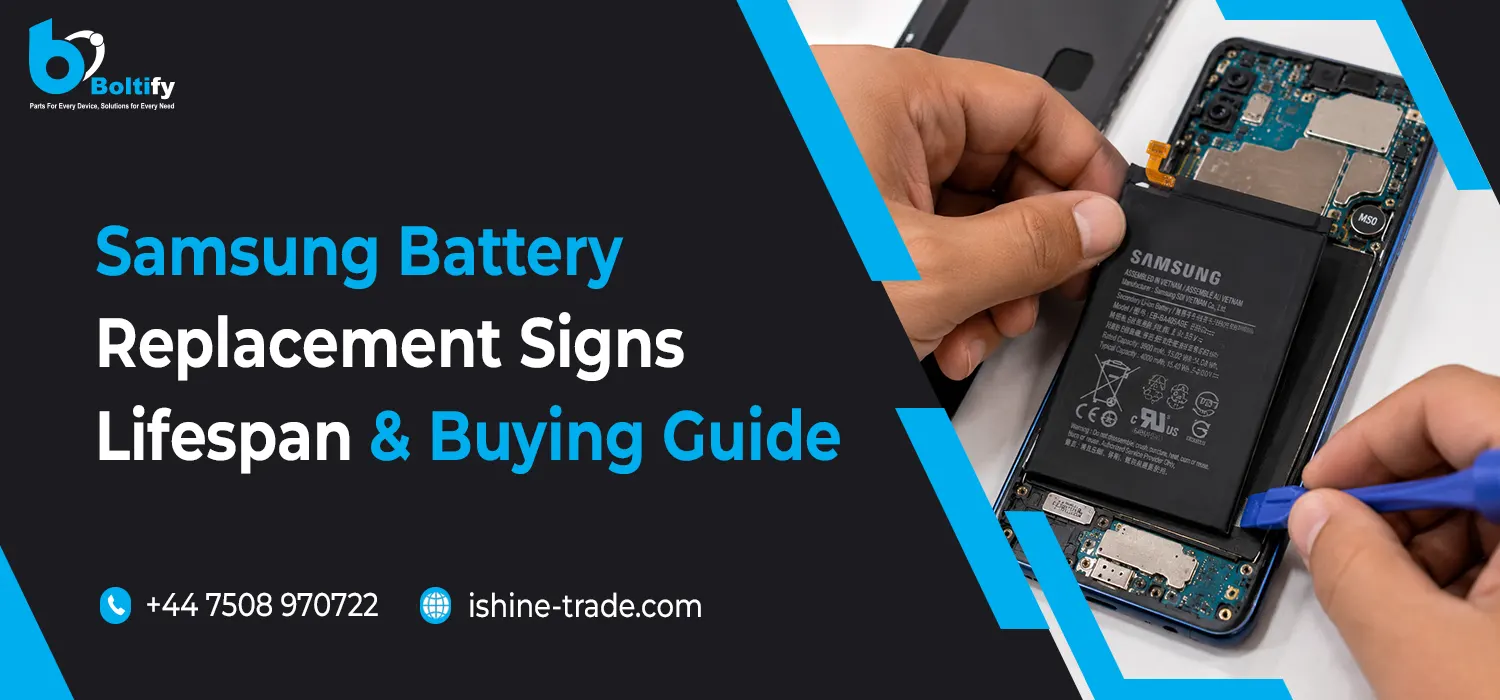
A Samsung Battery Replacement involves removing an old or worn-out battery and installing a new compatible battery to restore your phone’s performance and battery life.
Unlike displays or charging ports, batteries naturally wear out through everyday use. Every charge cycle slightly reduces the battery’s maximum capacity until it can no longer provide enough power for normal daily use.
Replacing the battery can help restore:
- Longer battery life
- More stable performance
- Faster charging efficiency
- Improved standby time
- Better overall user experience
For many Galaxy smartphones, replacing the battery is far more cost-effective than purchasing a new device, especially if the rest of the hardware is still in good condition.
Common Signs You Need a Samsung Battery Replacement
Battery problems usually develop gradually rather than failing suddenly. Recognising the early warning signs allows users to replace the battery before it begins affecting the overall performance of the phone.
Rapid Battery Drain
One of the most common symptoms is noticeably shorter battery life.
If your Samsung phone previously lasted an entire day but now requires multiple charges despite similar usage, battery degradation is likely the cause.
Unexpected Shutdowns
A worn battery may struggle to provide stable power, causing the phone to switch off unexpectedly even when the battery indicator still shows remaining charge.
This often becomes more noticeable when running demanding apps or using the camera.
Slow Charging Performance
Charging your phone should follow a consistent pattern. If charging suddenly becomes much slower than usual—even after trying a different charger or cable—the battery may no longer be performing efficiently.
Overheating During Normal Use
Some heat is normal while gaming or using fast charging, but excessive warmth during everyday tasks may indicate that the battery is under stress.
Persistent overheating should always be investigated before it affects other internal components.
Battery Swelling
Battery swelling is one of the clearest signs that replacement is required.
A swollen battery may cause:
- The display to lift away from the frame
- The back cover to separate
- Pressure on internal components
- Increased safety risks
If swelling is visible, stop using the phone and arrange for a replacement as soon as possible.
Random Performance Drops
As battery health declines, the phone may reduce performance to maintain stability. This can result in slower app loading times, occasional lag, or reduced responsiveness during demanding tasks.
Although software updates can also affect performance, an ageing battery is often a contributing factor.
How Long Does a Samsung Battery Last?
Samsung smartphones use rechargeable lithium-ion batteries designed to deliver reliable performance for years of everyday use. However, no smartphone battery lasts forever.
The lifespan of a Samsung battery depends on several factors, including:
- Daily usage habits
- Charging frequency
- Ambient temperature
- Fast charging usage
- Overall battery care
Most users begin to notice reduced battery performance after a few years of regular use. Heavy gaming, continuous video streaming, or frequent fast charging may accelerate battery wear, while careful charging habits can help extend battery life.
It’s important to remember that gradual battery degradation is a normal part of owning a smartphone and does not necessarily indicate a fault with the device.
What Causes Samsung Battery Health to Decline?
Every rechargeable battery gradually loses its ability to hold a full charge. While this is a normal part of battery ageing, certain habits and environmental factors can speed up the process and reduce overall battery performance.
Understanding what affects battery health can help users extend the lifespan of their Samsung Galaxy smartphone and delay the need for a Samsung Battery Replacement.
Frequent Charging Cycles
Every time a battery is charged and discharged, it completes part of a charging cycle. Over time, repeated charging cycles naturally reduce the battery’s maximum capacity.
This gradual decline means the battery stores less energy than it did when the phone was new, resulting in shorter battery life between charges.
High Temperatures
Heat is one of the biggest factors affecting lithium-ion batteries.
Leaving your Samsung phone in direct sunlight, using it heavily while charging, or exposing it to high temperatures for extended periods can accelerate battery wear.
Keeping your device in a cool environment helps maintain healthier battery performance over time.
Heavy Daily Usage
Gaming, video editing, GPS navigation, and other demanding applications require more power than everyday tasks. Continuous heavy usage places additional stress on the battery and may contribute to faster ageing.
Although modern Samsung smartphones are designed to handle demanding workloads, giving the device short breaks during extended sessions can help redue unnecessary heat.
Using Poor-Quality Chargers
Low-quality charging accessories may deliver inconsistent power, affecting charging efficiency and long-term battery health.
Using reliable chargers and compatible charging cables helps ensure safer and more stable charging performance.
How to Choose the Right Samsung Replacement Battery
Not every replacement battery offers the same level of quality. Selecting a compatible, well-manufactured battery plays an important role in both performance and safety.
Before purchasing a replacement battery, consider the following factors.
Check the Exact Galaxy Model
Samsung releases multiple versions of its Galaxy smartphones, and battery compatibility varies between models.
Before ordering, verify the exact model number through:
- Settings > About Phone
- The original product box
- Device information label (where applicable)
Matching the correct battery with your Galaxy model helps avoid installation and compatibility issues.
Buy from a Trusted Supplier
Choosing a reliable supplier reduces the risk of receiving poor-quality or incompatible batteries.
A trusted supplier should provide:
- Accurate compatibility information
- Consistent product quality
- Secure packaging
- Warranty support
- Reliable customer service
Avoid Unrealistic Capacity Claims
Some third-party batteries advertise significantly higher capacities than the original battery.
While these claims may appear attractive, extremely high advertised capacities are often unrealistic and may indicate lower manufacturing quality.
Choosing a battery that matches the original specifications is generally the safest option.
Genuine vs OEM vs Aftermarket Samsung Batteries
Understanding the available battery options helps buyers choose the most suitable replacement for their needs.
| Battery Type |
Advantages |
Best For |
| Genuine Samsung |
Original specifications and reliable performance |
Premium repairs |
| OEM Quality |
High compatibility and dependable quality |
Professional repair businesses |
| Premium Aftermarket |
Cost-effective with good performance |
Everyday repairs |
| Budget Aftermarket |
Lower purchase price but quality may vary |
Budget-conscious buyers |
Rather than focusing only on price, buyers should consider compatibility, quality control, warranty, and supplier reputation before making a purchase.
Tips to Extend Samsung Battery Life
Good charging habits can help maximise battery lifespan and reduce the likelihood of premature replacement.
Some practical tips include:
- Avoid exposing the phone to excessive heat.
- Use compatible charging accessories.
- Remove heavy protective cases if the device becomes excessively warm while charging.
- Keep your phone’s software updated.
- Reduce unnecessary background activity.
- Enable battery-saving features when appropriate.
- Avoid allowing the battery to remain completely discharged for extended periods.
Following these habits can help maintain healthier battery performance over the long term.
Frequently Asked Questions
When should I consider a Samsung Battery Replacement?
You should consider replacing the battery if your phone experiences rapid battery drain, unexpected shutdowns, overheating, battery swelling, or significantly reduced battery life.
How long does a Samsung phone battery usually last?
Battery lifespan varies depending on usage and charging habits, but lithium-ion batteries gradually lose capacity over time as part of normal ageing.
Is replacing a Samsung battery better than buying a new phone?
If the rest of the device is functioning properly, replacing the battery is often a more cost-effective solution than purchasing a new smartphone.
Can a damaged battery affect phone performance?
Yes. A worn battery may contribute to slower performance, unexpected restarts, reduced battery life, and overheating.
How do I choose a compatible Samsung replacement battery?
Always verify your Galaxy model number and purchase from a trusted supplier offering compatible, quality-tested replacement batteries.
Final Thoughts
A healthy battery is essential for maintaining the performance, reliability, and everyday usability of your Samsung Galaxy smartphone. While battery capacity naturally declines over time, recognising the early warning signs and choosing a high-quality replacement battery can significantly extend the life of your device.
Whether you’re replacing a battery for personal use or sourcing components for a repair business, prioritising compatibility and quality helps ensure dependable performance and long-term value. If you’d like to learn more about Samsung displays, charging ports, cameras, accessories, and other repair components, explore our Samsung replacement parts guide for a complete overview of Samsung repair solutions and replacement parts.